
The Free AI Tool That Lets Anyone Create Stunning Images Without Design Skills
Playground AI: The Ultimate Free AI Image Creation and Editing Tool
Artificial Intelligence (AI) is changing how people create content online. What once required expensive software and years of design experience can now be done in minutes with AI tools.
One of the most powerful free tools available today is Playground AI.
Whether you’re a student, business owner, blogger, marketer, social media creator, or complete beginner, Playground AI allows you to create professional-quality images simply by typing what you want.
The best part?
You don’t need graphic design skills.
You don’t need Photoshop.
And you can start for free.
In this guide, you’ll learn everything about Playground AI in simple language that anyone can understand.


What Is Playground AI?
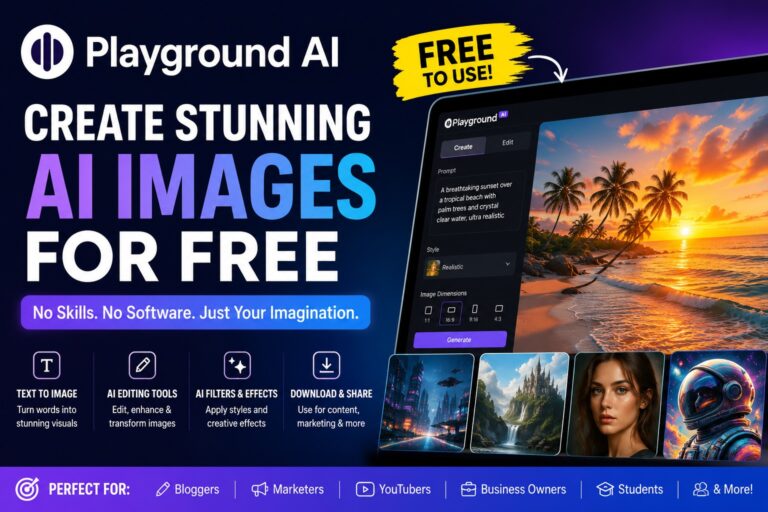
Playground AI is a free online AI image generator and image editing platform.
It uses artificial intelligence to turn text descriptions into images.
This means you can type:
“A luxury beach resort at sunset with palm trees and crystal-clear water”
And Playground AI will create the image for you automatically.
Think of it like having a professional artist available 24 hours a day.
Instead of drawing the image yourself, you simply describe what you want.
The AI does the work.
Why Is Playground AI So Popular?
Many AI image generators charge monthly fees.
Playground AI offers a generous free plan that allows users to create amazing images without spending money.
People love it because:
- Easy to use
- Free to start
- No design experience needed
- Fast image generation
- High-quality results
- Built-in editing tools
- Great for businesses and creators
This makes it one of the best AI tools for beginners.
How Playground AI Works
The process is simple.
Step 1: Enter a Prompt
A prompt is simply a description of what you want.
Example:
“A futuristic city at night with flying cars and neon lights.”
The more details you provide, the better the image.
Step 2: AI Creates the Image
The AI analyzes your words and creates a brand-new image based on your description.
This usually takes only a few seconds.
Step 3: Download or Edit
Once the image is generated, you can:
- Download it
- Edit it
- Add new elements
- Remove objects
- Change backgrounds
- Improve quality
Everything happens inside the platform.
Features of Playground AI
1. Text-to-Image Generation
This is the most popular feature.
Simply type what you want.
Examples:
- Realistic portraits
- Fantasy landscapes
- Product mockups
- Social media graphics
- YouTube thumbnails
- Book covers
- Website images
The AI creates them instantly.
2. AI Image Editing
Already have an image?
You can upload it and edit it using AI.
Examples:
- Remove unwanted objects
- Change colors
- Replace backgrounds
- Add missing elements
- Improve image quality
This saves hours of manual editing.
3. Image Expansion
Need a larger image?
Playground AI can extend the edges of an image.
This is useful for:
- Website banners
- YouTube thumbnails
- Social media covers
- Marketing materials
4. AI Filters and Effects
Apply artistic styles such as:
- Cartoon
- Anime
- Oil painting
- Watercolor
- Cinematic photography
- 3D render
With one click, your image can have a completely different look.
5. Collaborative Workspace
Teams can work together on projects.
This makes Playground AI useful for:
- Marketing agencies
- Businesses
- Content creators
- Design teams
Who Should Use Playground AI?
Bloggers
Create:
- Featured images
- Article illustrations
- Infographics
- Social media posts
Without hiring a designer.
Business Owners
Generate:
- Product advertisements
- Promotional banners
- Website graphics
- Brand visuals
At a fraction of traditional design costs.
YouTubers
Create:
- Eye-catching thumbnails
- Channel banners
- Video graphics
- Social media promotions
Quickly and easily.
Students
Use Playground AI for:
- School projects
- Presentations
- Educational graphics
- Creative assignments

How Playground AI Helps Marketing
Marketing is all about grabbing attention.
Images are one of the most powerful ways to do that.
With Playground AI, marketers can create:
- Advertisement graphics
- Product images
- Sales banners
- Promotional visuals
- Landing page images
Without paying for expensive design software.
This reduces costs and increases productivity.
How Playground AI Helps Content Creators
Content creators constantly need fresh visuals.
Instead of searching stock photo websites, they can generate unique images.
Benefits include:
- Original content
- Faster workflow
- Better engagement
- More creative freedom
This helps creators stand out online.
Playground AI for Brainstorming
Many people don’t realize AI image generators can help with brainstorming.
For example:
A business owner planning a new store can generate concept images.
A filmmaker can create scene ideas.
A game developer can visualize characters.
A writer can see what story locations might look like.
Seeing ideas visually often sparks new creativity.
Playground AI for Research
Researchers and educators can use Playground AI to:
- Explain concepts visually
- Create diagrams
- Design educational materials
- Build presentation graphics
Visual learning often improves understanding.
Playground AI Pros and Cons
Pros
✓ Free plan available
✓ Easy for beginners
✓ Fast image generation
✓ High-quality outputs
✓ Powerful editing features
✓ No design skills required
✓ Great for businesses and creators
Cons
✗ Some advanced features may require paid plans
✗ AI images occasionally need adjustments
✗ Learning good prompts takes practice
Is Playground AI Safe?
Yes.
Playground AI is widely used by creators and businesses worldwide.
However, users should always:
- Follow platform guidelines
- Respect copyrights
- Avoid generating harmful content
Responsible use is important.
Tips for Creating Better Images
Be Specific
Instead of:
“Dog”
Try:
“Golden retriever sitting on a beach during sunset, realistic photography, ultra detailed.”
Add Style Details
Examples:
- Cinematic
- Realistic
- 3D render
- Digital art
- Cartoon
- Anime
Include Lighting
Examples:
- Golden hour
- Studio lighting
- Neon lights
- Soft lighting
Lighting dramatically improves image quality.
Frequently Asked Questions (FAQ)
Is Playground AI free?
Yes. Playground AI offers a free plan that allows users to generate and edit AI images.
Do I need design experience?
No. Beginners can create professional-looking images using simple text prompts.
Can I use Playground AI for business?
Yes. Many marketers, entrepreneurs, and businesses use it for graphics and promotional materials.
Can Playground AI edit existing photos?
Yes. You can upload images and use AI-powered editing tools.
Is Playground AI good for social media?
Absolutely. It can create graphics, banners, thumbnails, and promotional visuals for all major social media platforms.
Final Verdict
Playground AI is one of the best free AI image creation and editing tools available today.
It allows anyone—even someone with zero design experience—to create professional-quality images in minutes.
Whether you’re a blogger, entrepreneur, marketer, student, developer, or content creator, Playground AI can save time, reduce costs, and unlock new creative possibilities.
If you’re looking for a free AI tool that combines image generation, editing, creativity, marketing, and productivity into one platform, Playground AI is definitely worth trying.