
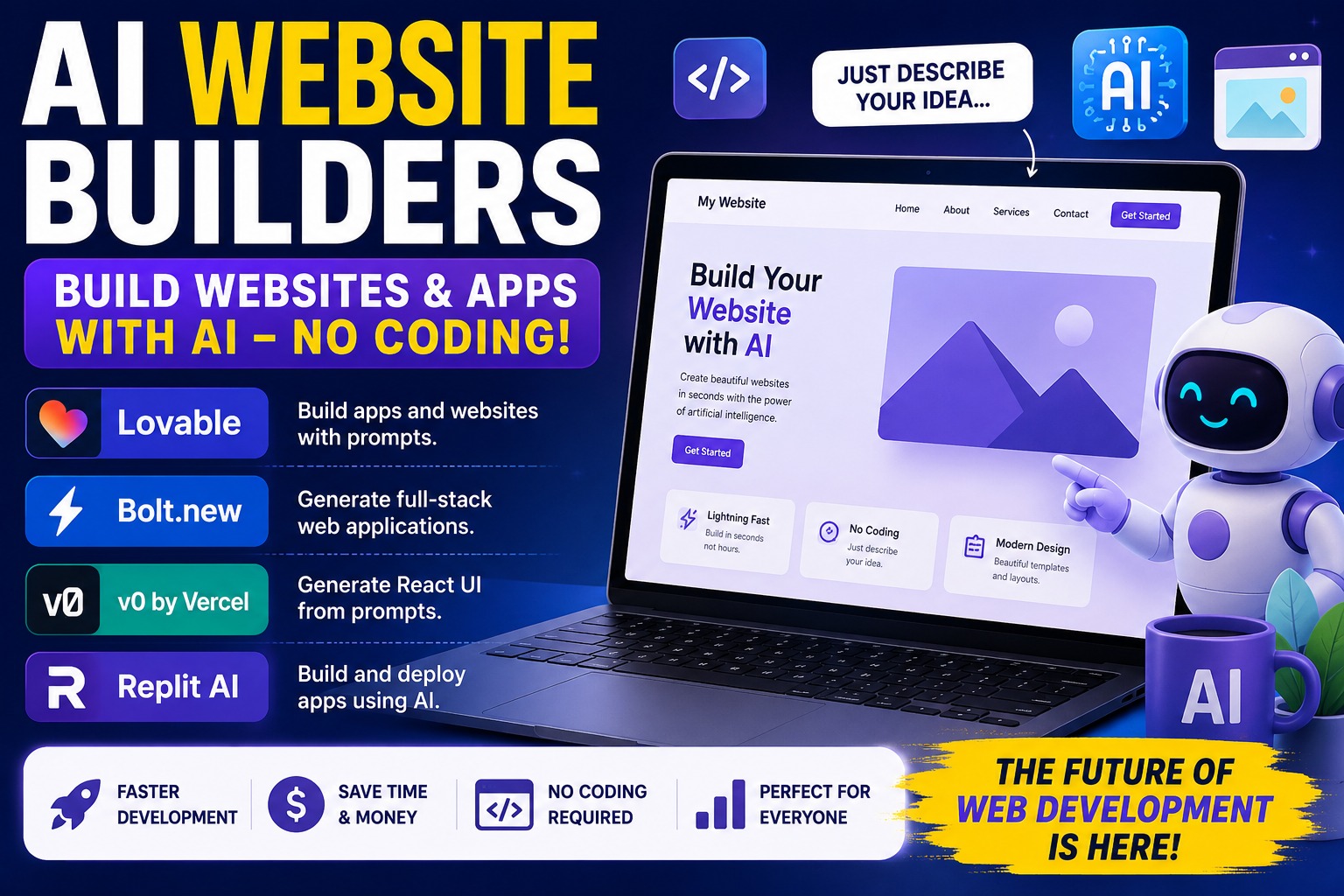
AI Website Builders Explained: The Best Free AI Tools to Build Websites Without Coding (Beginner’s Guide) AI Website Builders Explained: Build Websites Without Coding Have you ever wanted your own website but thought it was too difficult? Maybe you believed only professional programmers could build websites. That is no longer true. Today, Artificial Intelligence (AI) can help almost anyone create websites and apps simply by describing what they want in plain English. Imagine telling a smart robot: “Build me a website for my bakery with an online ordering page.” Within minutes, AI starts creating it. That’s exactly what AI website builders do. Whether you’re a student, business owner, teacher, creator, or complete beginner, these tools can save you hundreds of hours. What Is an AI Website Builder? An AI website builder is a smart tool that creates websites from simple instructions. Instead of writing thousands of lines of computer code, you simply type what you want. For example: “I want a website for my clothing business with a homepage, shop, contact page, and dark theme.” The AI understands your request and builds most of the website automatically. Think of it like hiring a professional web developer who works in seconds. Why People Love AI Website Builders They are popular because they help people: Build websites faster Save money Learn while building Create professional designs Build apps without coding experience Test new business ideas quickly Many beginners create their first website in less than one hour. What Can AI Do? 1. Lovable Official Website https://lovable.dev What Is Lovable? Lovable is one of the easiest AI website and app builders available today. You simply describe what you want. Example: “I want a fitness website where users can register, track workouts, and pay for memberships.” Lovable begins creating the project automatically. It builds pages, layouts, buttons, forms, and much more. Why Beginners Like Lovable Very easy to use No coding required for many projects Beautiful modern designs Fast development Great for startups Excellent for business websites Can build full web applications Best For Small businesses Online stores AI startups Portfolio websites Membership websites SaaS products Example Imagine opening a pizza shop. Instead of paying thousands of dollars for a website, you can simply tell Lovable what you want. Within minutes, it creates the foundation of your website. 2. Bolt.new Official Website https://bolt.new What Is Bolt.new? Bolt.new is an AI developer that builds complete web applications from prompts. It doesn’t only create pages. It can also create: Login systems Databases Dashboards APIs User accounts Admin panels That’s why people call it a “full-stack” AI builder. Simple Explanation Imagine asking someone: “Build me a school management website.” Bolt.new can generate much of the application, not just the homepage. It helps create both what users see and the technology working behind the scenes. Best For Business software AI tools Customer dashboards Internal company apps Startup MVPs 3. v0 by Vercel Official Website https://v0.dev What Is v0? v0 is an AI tool that creates beautiful website designs and React user interfaces from text prompts. If you describe a page, v0 generates the code for the interface. Example: “Create a modern pricing page with three pricing plans.” The AI produces a clean, responsive layout that developers can continue building. What Is React? React is a popular technology used to build modern websites. Many famous websites use React because it is fast and flexible. v0 makes creating React interfaces much easier. Best For Landing pages Dashboards Admin panels Startup websites Modern web interfaces 4. Replit AI Official Website https://replit.com What Is Replit AI? Replit AI is like having an AI programming teacher and developer in one place. You can describe your idea, and it helps you build, edit, test, and even deploy your website or application. The best part is that everything happens inside your web browser. You don’t need to install complicated software to get started. What Can Replit AI Build? Websites Mobile apps Games Python projects JavaScript projects APIs AI applications Why Beginners Like It Easy to start AI explains code Fixes programming mistakes Helps you learn Lets you publish projects online Which AI Website Builder Is Best? Lovable Best for people who want to build websites quickly with almost no coding. Bolt.new Best for building complete web applications with advanced features. v0 Best for beautiful modern website designs and React interfaces. Replit AI Best for learning programming while building websites and apps. Can Kids Use AI Website Builders? Yes. Older children and teenagers can learn how websites work by using AI website builders with guidance. These tools make learning easier because users can describe what they want instead of memorizing complicated programming languages. Are AI Website Builders Free? Most offer free plans that let you explore and build projects. As your projects grow, you may choose a paid plan for additional features such as more AI usage, custom domains, larger projects, or team collaboration. Always review the pricing details on each provider’s official website. Tips for Better Results Be very specific when describing your project. Ask the AI to improve your design if needed. Build one feature at a time. Test everything before publishing. Keep your design simple and user-friendly. Frequently Asked Questions Do I need to know programming? No. Basic computer skills are enough to get started, although learning some coding over time can help you customize your projects. Can AI build an online store? Yes. Many AI builders can help create e-commerce websites with product pages, shopping carts, and payment integrations. Can I edit the website later? Yes. You can usually continue editing the design, content, and features after the AI generates the initial version. Which tool is easiest? Lovable is widely considered one of the easiest for complete beginners. Which tool is best for developers? Bolt.new, v0, and Replit AI are excellent choices for developers and users who want more control. Final Thoughts AI website builders are changing the way people create websites and apps. You no longer need years of
AI Video Creation: The Beginner’s Guide to Making Amazing Videos with AI (2026)
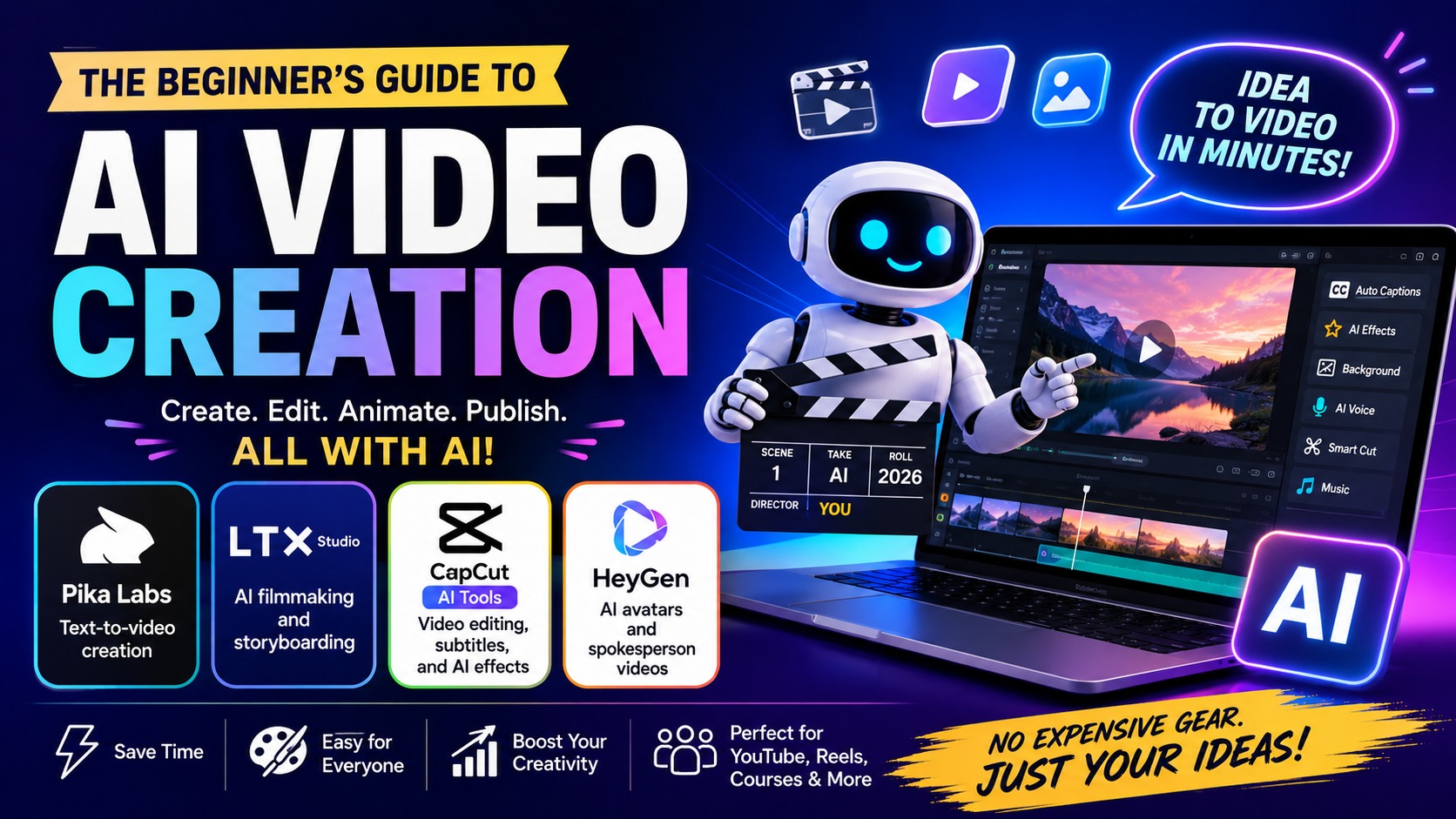
AI Video Creation: The Beginner’s Guide to Making Amazing Videos with AI (2026) Meta Description: Learn how AI video creation works using Pika Labs, LTX Studio, CapCut AI Tools, and HeyGen. This beginner-friendly guide is easy enough for kids and complete beginners. What Is AI Video Creation? AI Video Creation means using Artificial Intelligence (AI) to help make videos quickly and easily. Instead of spending hours editing, AI helps create videos, animations, subtitles, voiceovers, and special effects automatically. Think of AI as a smart helper that does the hard work while you focus on your ideas. Why Use AI Video Tools? Save time No editing experience required Create videos in minutes Perfect for YouTube Great for TikTok and Instagram Create business videos easily Easy enough for beginners 1. Pika Labs – Turn Words into Videos Pika Labs lets you create videos simply by typing what you want. Example “A happy dog running on the beach during sunset.” AI reads your words and creates a short animated video. Best For Text-to-video Animations YouTube Shorts Creative storytelling Social media content Perfect for beginners because no camera or drawing skills are required. 2. LTX Studio – AI Movie Maker LTX Studio helps you create an entire movie instead of just one video. It Can Help You Create Storyboards Movie scenes Characters Camera angles Visual storytelling Simple Example A boy enters a forest. He discovers hidden treasure. A dragon appears. The adventure begins. LTX Studio helps organize your story before creating the final video. 3. CapCut AI Tools – Easy Video Editing CapCut is one of the easiest video editing apps available today. Popular AI Features Automatic subtitles Background removal AI voice generator AI music suggestions Face enhancement Video transitions Color enhancement CapCut makes editing much faster and easier for beginners. 4. HeyGen – AI Talking Avatar HeyGen creates virtual people that speak for you. Simply type your script and the AI avatar talks naturally while moving its lips. Popular Uses Business presentations Online courses YouTube videos Customer support Product promotions Company introductions Which Tool Should You Choose? Tool Best For Pika Labs Text-to-video creation LTX Studio AI filmmaking and storyboarding CapCut AI Video editing and subtitles HeyGen AI avatars and spokesperson videos Can You Make Money Using AI Video Tools? Yes. Create YouTube videos Offer freelance video editing Sell social media videos Create online courses Produce business advertisements Make TikTok and Instagram Reels Frequently Asked Questions Are these AI tools free? Most offer free plans with optional paid upgrades. Can beginners use them? Yes. They are designed for people with little or no editing experience. Do I need an expensive computer? No. Many AI video tools work directly in your web browser. Can kids learn AI video creation? Yes. With guidance from a parent or teacher, many of these tools are easy to explore. Final Thoughts AI video creation is changing the way people make videos. Whether you want to turn text into animation with Pika Labs, plan a movie with LTX Studio, edit videos using CapCut AI, or create a virtual presenter with HeyGen, these tools make professional-looking videos easier than ever. Start with one tool, practice often, and let AI help bring your ideas to life.
Mage Space: The Free AI Image Generator Anyone Can Use
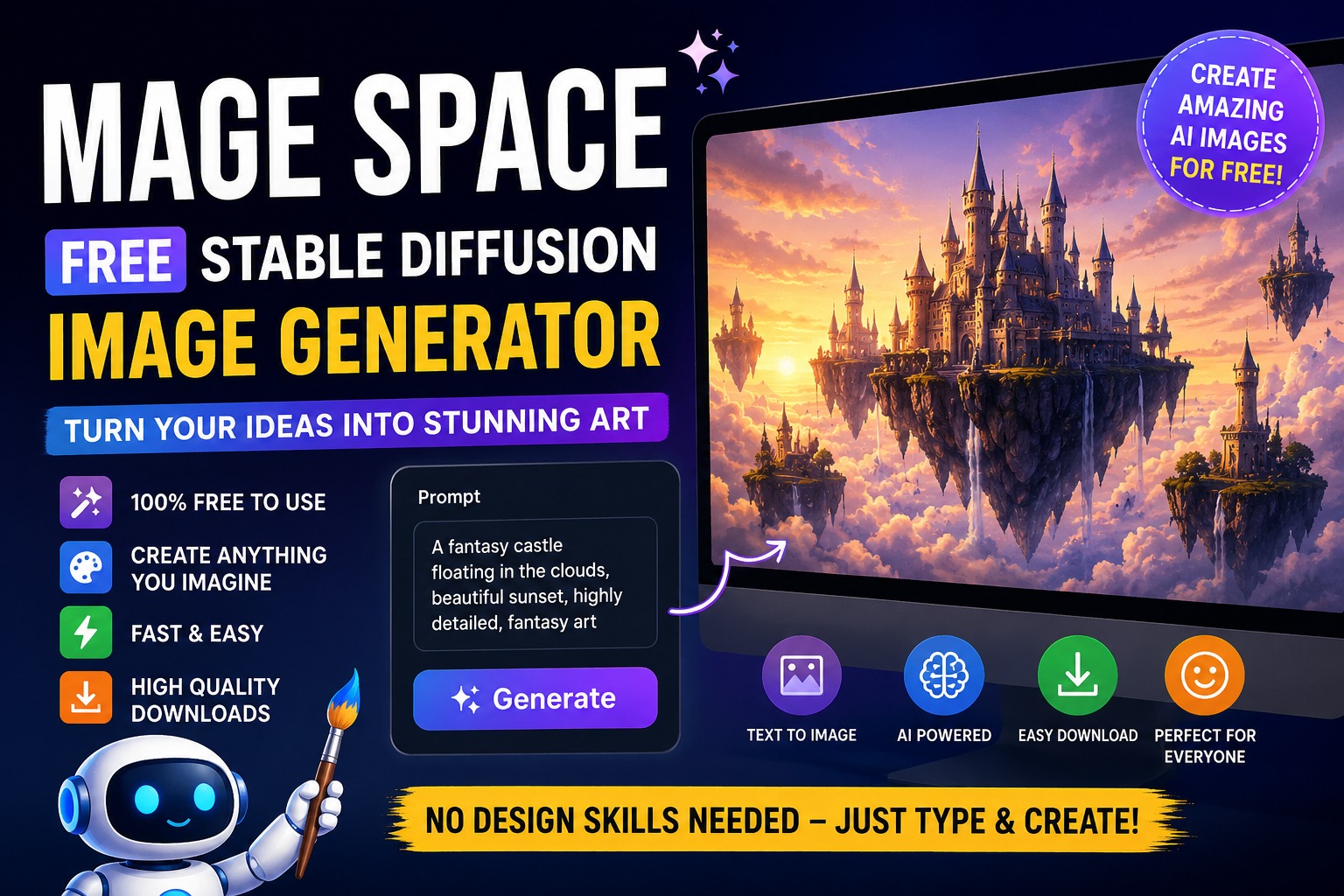
Mage Space: The Free AI Image Generator Anyone Can Use Mage Space: Free AI Image Generator Explained Simply Have you ever wished you could turn your ideas into pictures just by typing words? Imagine typing: “A cute baby dragon eating ice cream in space.” Then, only a few seconds later, a beautiful picture appears on your screen. That’s exactly what Mage Space can do. Mage Space is a free AI image generator that uses a powerful technology called Stable Diffusion to create pictures from text. The best part? You don’t need to know how to draw. You don’t need expensive software. You don’t even need design skills. Just type what you imagine, and the AI creates it for you. What Is Mage Space? Mage Space is a website that allows people to create images using artificial intelligence (AI). Think of it like a super-smart robot artist. You tell the robot what you want, and it draws it for you. For example: A flying unicorn A futuristic city A pirate cat A luxury sports car A fantasy castle The AI reads your words and turns them into pictures. What Is Stable Diffusion? Stable Diffusion is the AI engine behind Mage Space. Think of Stable Diffusion as the brain. Mage Space is the website that lets you use that brain. Stable Diffusion has learned from millions of images. Because of this training, it understands what things look like. When you type: “A red apple on a wooden table” The AI already knows: What an apple looks like What the color red looks like What a wooden table looks like Then it combines all of those ideas into a brand-new image. What Can You Create? The possibilities are almost endless. Animals Dogs Cats Lions Dragons Dinosaurs Fantasy Art Wizards Elves Fairies Castles Magical forests Business Graphics Logos Marketing images Website banners Product mockups Social Media Content Instagram posts Facebook graphics YouTube thumbnails Book Covers Authors use AI to create: Novel covers Children’s books Coloring books How Does Mage Space Work? Using Mage Space is very simple. Step 1: Visit the Website Open Mage Space in your web browser. Step 2: Type a Prompt A prompt is simply a description. Example: “A happy puppy wearing sunglasses on a beach.” Step 3: Click Generate Press the generate button. Step 4: Wait a Few Seconds The AI starts creating your image. Step 5: Download If you like the image, save it to your device. That’s it. Why Do People Love Mage Space? There are many AI image generators online. But Mage Space is popular because it is: Free Many AI image tools charge money. Mage Space lets beginners create images without spending much. Easy To Use You simply type what you want. No complicated software. No design experience. Fast Most images are generated within seconds. Creative You can create almost anything you can imagine. Example Prompts For Beginners Try these fun prompts: Cute Animal “A fluffy baby panda eating watermelon, cartoon style” Space Adventure “An astronaut riding a bicycle on the moon” Fantasy World “A magical castle floating in the clouds” Funny Image “A cat working in an office using a laptop” Realistic Portrait “A smiling young woman standing in a sunflower field, realistic photography” Who Can Use Mage Space? Mage Space is great for: Students Create school project images. Teachers Make educational graphics. Bloggers Create unique website images. YouTubers Design eye-catching thumbnails. Small Business Owners Create marketing graphics. Kids Have fun creating imaginative artwork. Benefits of Using Mage Space Saves Time Instead of spending hours drawing, AI creates images in seconds. Saves Money You may not need to hire a designer for simple graphics. Inspires Creativity AI helps bring your imagination to life. Beginner Friendly Anyone can start creating immediately. Tips For Better Results Be Specific Instead of: “Dog” Try: “Golden Retriever puppy playing in a flower garden” Add Style Examples: Cartoon style Realistic photography Watercolor painting Anime style 3D render Describe Lighting Examples: Golden sunset Cinematic lighting Studio lighting Neon lights The more details you give, the better the image usually becomes. Is Mage Space Safe? Mage Space is generally safe for learning and creative projects. However: Children should use it with parental guidance. Users should follow the website’s rules. Always respect copyrights and community guidelines. Are AI Images Perfect? Not always. Sometimes AI makes mistakes. For example: Extra fingers Strange faces Odd backgrounds If that happens, simply change your prompt and generate again. Most users create several versions before finding the perfect image. Final Thoughts Mage Space is one of the easiest ways to create AI-generated images online. Even if you’ve never designed anything before, you can create beautiful artwork simply by describing your ideas. Whether you’re a student, blogger, YouTuber, entrepreneur, or just someone who loves creativity, Mage Space can help turn your imagination into pictures. The future of art is becoming more accessible every day, and Mage Space is helping make that future available to everyone. If you can imagine it, Mage Space can help you create it.
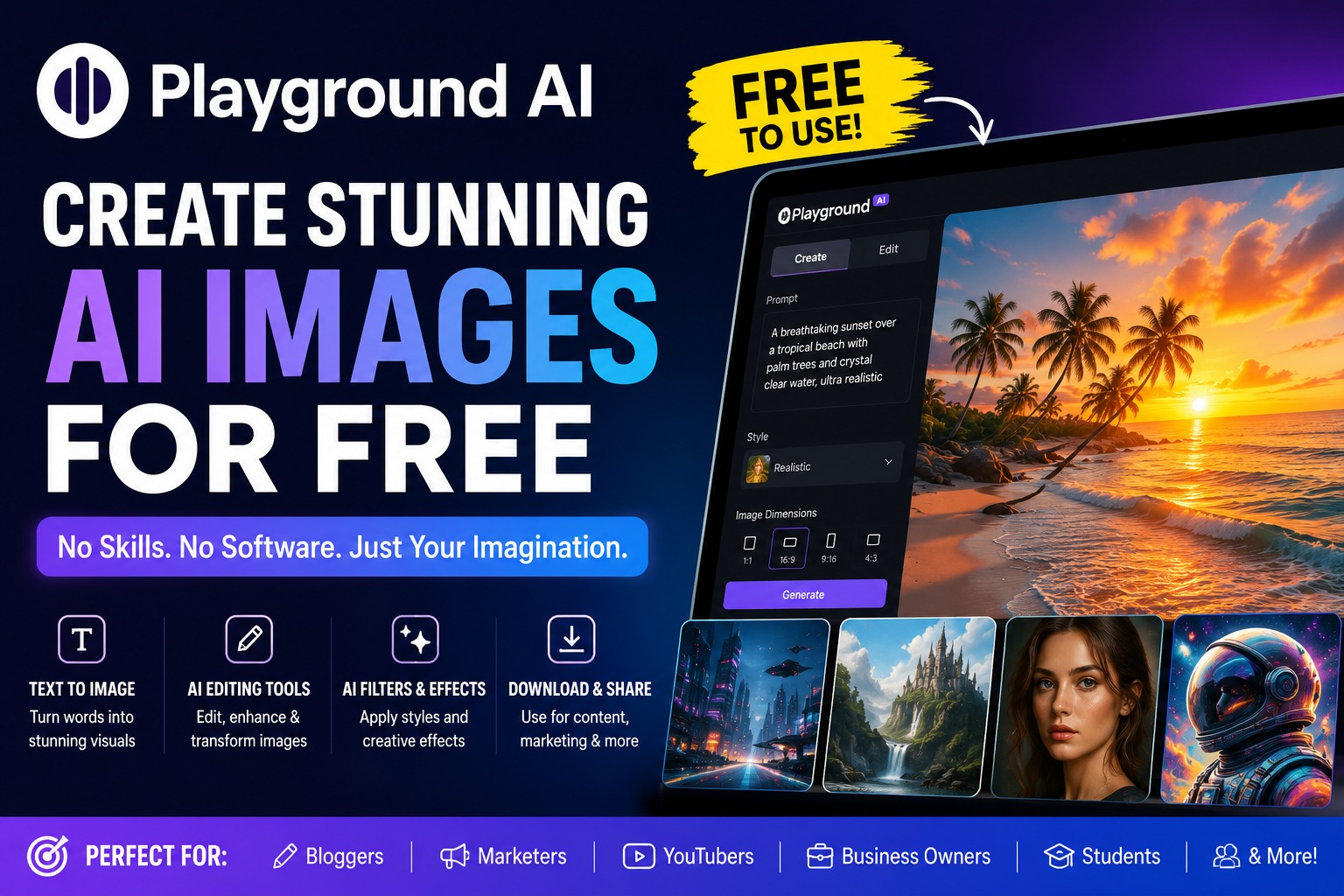
Playground AI Review 2026: Create Stunning AI Images for Free
The Free AI Tool That Lets Anyone Create Stunning Images Without Design Skills Playground AI: The Ultimate Free AI Image Creation and Editing Tool Artificial Intelligence (AI) is changing how people create content online. What once required expensive software and years of design experience can now be done in minutes with AI tools. One of the most powerful free tools available today is Playground AI. Whether you’re a student, business owner, blogger, marketer, social media creator, or complete beginner, Playground AI allows you to create professional-quality images simply by typing what you want. The best part? You don’t need graphic design skills. You don’t need Photoshop. And you can start for free. In this guide, you’ll learn everything about Playground AI in simple language that anyone can understand. What Is Playground AI? Playground AI is a free online AI image generator and image editing platform. It uses artificial intelligence to turn text descriptions into images. This means you can type: “A luxury beach resort at sunset with palm trees and crystal-clear water” And Playground AI will create the image for you automatically. Think of it like having a professional artist available 24 hours a day. Instead of drawing the image yourself, you simply describe what you want. The AI does the work. Why Is Playground AI So Popular? Many AI image generators charge monthly fees. Playground AI offers a generous free plan that allows users to create amazing images without spending money. People love it because: Easy to use Free to start No design experience needed Fast image generation High-quality results Built-in editing tools Great for businesses and creators This makes it one of the best AI tools for beginners. How Playground AI Works The process is simple. Step 1: Enter a Prompt A prompt is simply a description of what you want. Example: “A futuristic city at night with flying cars and neon lights.” The more details you provide, the better the image. Step 2: AI Creates the Image The AI analyzes your words and creates a brand-new image based on your description. This usually takes only a few seconds. Step 3: Download or Edit Once the image is generated, you can: Download it Edit it Add new elements Remove objects Change backgrounds Improve quality Everything happens inside the platform. Features of Playground AI 1. Text-to-Image Generation This is the most popular feature. Simply type what you want. Examples: Realistic portraits Fantasy landscapes Product mockups Social media graphics YouTube thumbnails Book covers Website images The AI creates them instantly. 2. AI Image Editing Already have an image? You can upload it and edit it using AI. Examples: Remove unwanted objects Change colors Replace backgrounds Add missing elements Improve image quality This saves hours of manual editing. 3. Image Expansion Need a larger image? Playground AI can extend the edges of an image. This is useful for: Website banners YouTube thumbnails Social media covers Marketing materials 4. AI Filters and Effects Apply artistic styles such as: Cartoon Anime Oil painting Watercolor Cinematic photography 3D render With one click, your image can have a completely different look. 5. Collaborative Workspace Teams can work together on projects. This makes Playground AI useful for: Marketing agencies Businesses Content creators Design teams Who Should Use Playground AI? Bloggers Create: Featured images Article illustrations Infographics Social media posts Without hiring a designer. Business Owners Generate: Product advertisements Promotional banners Website graphics Brand visuals At a fraction of traditional design costs. YouTubers Create: Eye-catching thumbnails Channel banners Video graphics Social media promotions Quickly and easily. Students Use Playground AI for: School projects Presentations Educational graphics Creative assignments How Playground AI Helps Marketing Marketing is all about grabbing attention. Images are one of the most powerful ways to do that. With Playground AI, marketers can create: Advertisement graphics Product images Sales banners Promotional visuals Landing page images Without paying for expensive design software. This reduces costs and increases productivity. How Playground AI Helps Content Creators Content creators constantly need fresh visuals. Instead of searching stock photo websites, they can generate unique images. Benefits include: Original content Faster workflow Better engagement More creative freedom This helps creators stand out online. Playground AI for Brainstorming Many people don’t realize AI image generators can help with brainstorming. For example: A business owner planning a new store can generate concept images. A filmmaker can create scene ideas. A game developer can visualize characters. A writer can see what story locations might look like. Seeing ideas visually often sparks new creativity. Playground AI for Research Researchers and educators can use Playground AI to: Explain concepts visually Create diagrams Design educational materials Build presentation graphics Visual learning often improves understanding. Playground AI Pros and Cons Pros ✓ Free plan available ✓ Easy for beginners ✓ Fast image generation ✓ High-quality outputs ✓ Powerful editing features ✓ No design skills required ✓ Great for businesses and creators Cons ✗ Some advanced features may require paid plans ✗ AI images occasionally need adjustments ✗ Learning good prompts takes practice Is Playground AI Safe? Yes. Playground AI is widely used by creators and businesses worldwide. However, users should always: Follow platform guidelines Respect copyrights Avoid generating harmful content Responsible use is important. Tips for Creating Better Images Be Specific Instead of: “Dog” Try: “Golden retriever sitting on a beach during sunset, realistic photography, ultra detailed.” Add Style Details Examples: Cinematic Realistic 3D render Digital art Cartoon Anime Include Lighting Examples: Golden hour Studio lighting Neon lights Soft lighting Lighting dramatically improves image quality. Frequently Asked Questions (FAQ) Is Playground AI free? Yes. Playground AI offers a free plan that allows users to generate and edit AI images. Do I need design experience? No. Beginners can create professional-looking images using simple text prompts. Can I use Playground AI for business? Yes. Many marketers, entrepreneurs, and businesses use it for graphics and promotional materials. Can Playground AI edit existing photos? Yes. You can upload images and use AI-powered editing tools. Is Playground AI good for
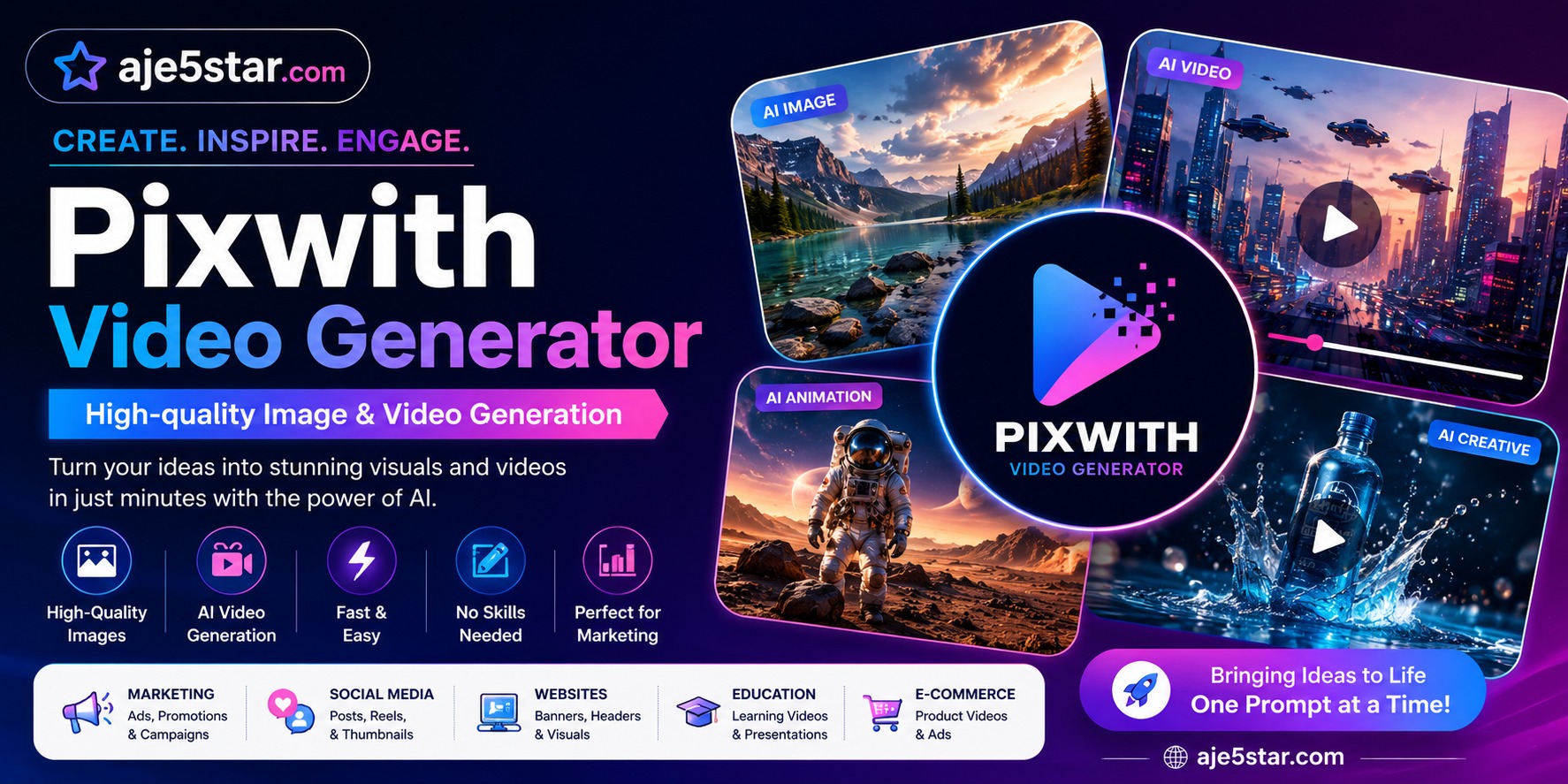
Pixwith Video Generator
The Beginner’s Guide to Creating AI Images and Videos in Minutes Introduction PixWith Video Generator Review: Create High-Quality AI Images and Videos Easily Description Learn how PixWith Video Generator helps beginners create stunning AI images and videos in minutes. Easy step-by-step guide, features, benefits, and tips for content creators and businesses. The Future of AI Images and Videos AI technology is improving rapidly. In the future, tools like PixWith may help people create: Full animated movies Video advertisements Interactive stories Educational content Virtual reality experiences The possibilities continue to grow every year. What Is PixWith Video Generator? Have you ever wished you could create beautiful pictures or exciting videos without being a designer or video editor? That is exactly what PixWith Video Generator helps you do. PixWith Video Generator is an Artificial Intelligence (AI) tool that can create images and videos from simple text descriptions. Instead of spending hours learning complicated software, you simply type what you want, and the AI creates it for you. For example, you can type: “A cute puppy running on a beach during sunset.” Within seconds, the AI can create a beautiful image or even a video based on your description. This makes content creation faster, easier, and more fun. What Is Artificial Intelligence (AI)? Before learning more about PixWith Video Generator, let’s understand AI. Artificial Intelligence is a computer technology that can learn patterns and perform tasks that normally require human intelligence. Think of AI as a very smart helper. It can: Create images Create videos Write content Answer questions Generate ideas Help with research PixWith uses AI to turn your ideas into visuals. Why Is PixWith Video Generator Popular? Many people love PixWith because it saves time and makes content creation easy. Here are some reasons why people use it Easy to Use You do not need technical skills. Fast Results Images and videos are generated quickly. High Quality The visuals often look professional. Beginner Friendly Anyone can use it, even children. Saves Money You may not need to hire expensive designers for simple projects. . What Can You Create With PixWith Video Generator? PixWith can create many different types of content. AI Images You can create: Landscapes Animals People Fantasy artwork Product photos Social media graphics Example: “A luxury sports car parked in front of a modern mansion.” The AI creates the image based on your description. AI Videos You can create: Short videos Marketing videos Product showcases Story animations Social media clips Instead of filming with a camera, AI generates the visuals. Social Media Posts Create graphics for: Facebook Instagram TikTok Pinterest X (Twitter) This helps businesses and creators stay active online. Marketing Content Businesses use PixWith to create: Advertisements Promotional videos Product images Website banners This helps increase sales and brand awareness. Step-by-Step Guide to Using PixWith Video Generator Step 1: Visit the Website Open your web browser and visit the PixWith Video Generator website. Create an account if required. Step 2: Choose Image or Video Creation Select whether you want to create: An image A video Choose the option that fits your project. Step 3: Write a Prompt A prompt is simply a description of what you want. Example: “A futuristic city at night with flying cars and neon lights.” The more details you provide, the better the result. Step 4: Click Generate Press the Generate button. The AI begins creating your image or video. Step 5: Review the Results The AI will show one or more results. You can: Download them Edit them Generate new versions Step 6: Share Your Creation Use your content on: Websites Blogs YouTube Social media Marketing campaigns How to Write Better Prompts The secret to great AI content is writing better prompts. Weak Prompt “House” The AI doesn’t know much about the house. Better Prompt “Large luxury beach house during sunset, palm trees, realistic photography, ultra-detailed.” This gives the AI much more information. The result will usually be much better. Best Prompt Tips Be Specific Describe exactly what you want. Add Details Include: Colors Lighting Style Background Mood Mention Quality Use phrases like: High quality Ultra realistic Cinematic lighting Professional photography 4K quality Experiment Try different prompts to discover better results. Benefits of PixWith Video Generator Saves Time Create visuals in minutes instead of hours. Saves Money Reduce design and production costs. Boosts Creativity Generate new ideas quickly. Easy for Beginners No special training required. Creates Professional Results Many outputs look impressive and high-quality. Limitations of PixWith Video Generator No tool is perfect. Some challenges include: Learning Good Prompts Better prompts create better results. Not Always Perfect Sometimes the AI may misunderstand your request. Editing May Be Needed You may want to make small changes afterward. Internet Connection Required Most AI tools work online. Who Can Use PixWith Video Generator? Almost anyone can benefit from this tool. Students Create educational visuals and presentations. Teachers Create learning materials and classroom graphics. Bloggers Generate images for articles and websites. YouTubers Create thumbnails and video content. Business Owners Design advertisements and marketing materials. Business Owners Design advertisements and marketing materials. How Businesses Use PixWith Many companies use AI tools every day. Examples include: Advertising Creating marketing campaigns. Product Promotion Generating product visuals. Social Media Management Producing regular content. Website Design Creating banners and graphics. Branding Developing visual concepts for businesses. Final Thoughts PixWith Video Generator is making image and video creation easier than ever. You no longer need expensive equipment, advanced software, or years of design experience. Simply type your idea, let the AI do the work, and watch your imagination come to life. Whether you are a student, teacher, business owner, blogger, marketer, YouTuber, or complete beginner, PixWith Video Generator can help you create high-quality images and videos quickly and easily. The future of content creation is here, and AI tools like PixWith are helping everyone become creators.

Leonardo AI: The Beginner’s Guide to Creating Amazing Images with Artificial Intelligence
Leonardo AI: The Beginner’s Guide to Creating Amazing Images with Artificial Intelligence What is Leonardo AI? Imagine being able to create beautiful images, logos, illustrations, game characters, social media graphics, book covers, and even realistic photos simply by typing a few words. That is exactly what Leonardo AI does. Leonardo AI is an Artificial Intelligence (AI) image generation platform that turns text into images. Instead of hiring a designer or spending hours learning graphic design software, you can describe what you want, and Leonardo AI creates it for you within seconds. For example, if you type: “A luxury modern mansion overlooking the ocean at sunset, ultra-realistic, cinematic lighting” Leonardo AI will generate several high-quality images based on that description. It is one of the most powerful AI art tools available today and is used by entrepreneurs, marketers, content creators, game developers, designers, and everyday people. How Does Leonardo AI Work? Think of Leonardo AI as an artist who has studied millions of images. When you type a description, called a “prompt,” the AI analyzes your words and creates a brand-new image from scratch. You don’t need to know: Graphic Design Photoshop Illustration Coding Photography You simply describe your idea. The AI handles the hard work. Why Is Leonardo AI So Popular? Many AI image generators exist, but Leonardo AI stands out because of its image quality and user-friendly interface. People love Leonardo AI because it offers: High-Quality Images The images often look professional and realistic. Fast Generation Most images are created in seconds. Free Access Users can generate images without paying initially. Multiple Art Styles You can create: Realistic photos Anime characters Cartoons Fantasy artwork Game assets Product mockups Logo concepts Social media graphics Easy to Use Even complete beginners can create impressive artwork. What Can You Create with Leonardo AI? The possibilities are almost endless. 1. Social Media Content Create: Instagram posts Facebook graphics TikTok thumbnails YouTube thumbnails Pinterest pins This helps creators produce content faster. 2. Business Marketing Materials Businesses use Leonardo AI to create: Advertisements Product promotions Marketing graphics Website banners Sales images Instead of paying hundreds of dollars for every design, businesses can create visuals quickly. 3. Book Covers Authors use Leonardo AI to generate: Fiction book covers Romance covers Fantasy artwork Children’s book illustrations Many self-published authors save significant design costs using AI tools. 4. Logo Ideas While professional logos may still need refinement, Leonardo AI can generate: Brand concepts Logo inspirations Business identity ideas This speeds up the creative process 5. Game Development Game developers create: Characters Weapons Environments Buildings Fantasy creatures Concept art This helps teams visualize ideas before development begins. 6. Product Mockups Online sellers use Leonardo AI to create: Clothing designs Product advertisements E-commerce graphics Promotional images This can help businesses sell products more effectively. Advantages of Leonardo AI Saves Time What might take a designer several hours can be created in minutes. Saves Money Businesses can reduce design costs. Easy for Beginners No design experience is required. Endless Creativity You can generate thousands of different ideas. Fast Content Creation Ideal for marketers, bloggers, and entrepreneurs. Understanding Prompts The better your prompt, the better your image. A prompt is simply a description of what you want. Weak Prompt “Dog” This gives very little information. Better Prompt “Golden Retriever running through a flower field during sunset, realistic photography, ultra-detailed, cinematic lighting.” The second prompt gives the AI much more information. As a result, the generated image is usually far better. Tips for Better Images Be Specific Instead of writing: “Car” Write: “Luxury red sports car parked in front of a modern mansion at sunset.” Specific prompts produce better results. Add Style Descriptions Include phrases like: Ultra-realistic 3D render Cinematic lighting Digital painting Fantasy art Photorealistic Studio photography These guide the AI toward a specific look. Experiment Sometimes changing one or two words can dramatically improve results. Creating great AI images often involves testing multiple prompts. How Businesses Use Leonardo AI Many businesses now use AI-generated images daily. Examples include: Content Marketing Creating images for blogs and social media. Advertising Generating ad creatives quickly. Branding Creating visual concepts for campaigns. Product Promotion Making products look attractive online. Website Design Producing custom visuals for websites. This saves both time and money. Limitations of Leonardo AI Although powerful, Leonardo AI is not perfect. Some challenges include: Inconsistent Results Not every image will be exactly what you imagined. Prompt Learning Curve You must learn how to write effective prompts. Text Problems AI sometimes struggles to generate readable text inside images. Human Editing May Still Be Needed Some projects require additional editing after generation. Is Leonardo AI Better Than Hiring a Designer? Not always. A professional designer still provides: Strategy Branding expertise Creative direction Human understanding However, Leonardo AI is excellent for: Quick concepts Content creation Marketing graphics Visual brainstorming Many businesses now use both AI and human designers together. The Future of AI Image Generation AI image generation is improving rapidly. In the future, tools like Leonardo AI may allow users to create: Full movies Interactive experiences Video advertisements Entire marketing campaigns Virtual worlds The technology continues to become faster, smarter, and more realistic. Final Thoughts Leonardo AI is changing the way people create images. Whether you’re a business owner, content creator, marketer, student, blogger, entrepreneur, or complete beginner, Leonardo AI makes professional-quality image creation accessible to everyone. Instead of spending hours designing graphics, you can simply describe your idea and let Artificial Intelligence bring it to life. The biggest advantage is not that Leonardo AI replaces creativity—it amplifies it. Your imagination becomes the limit. If you can describe it, Leonardo AI can help you visualize it.
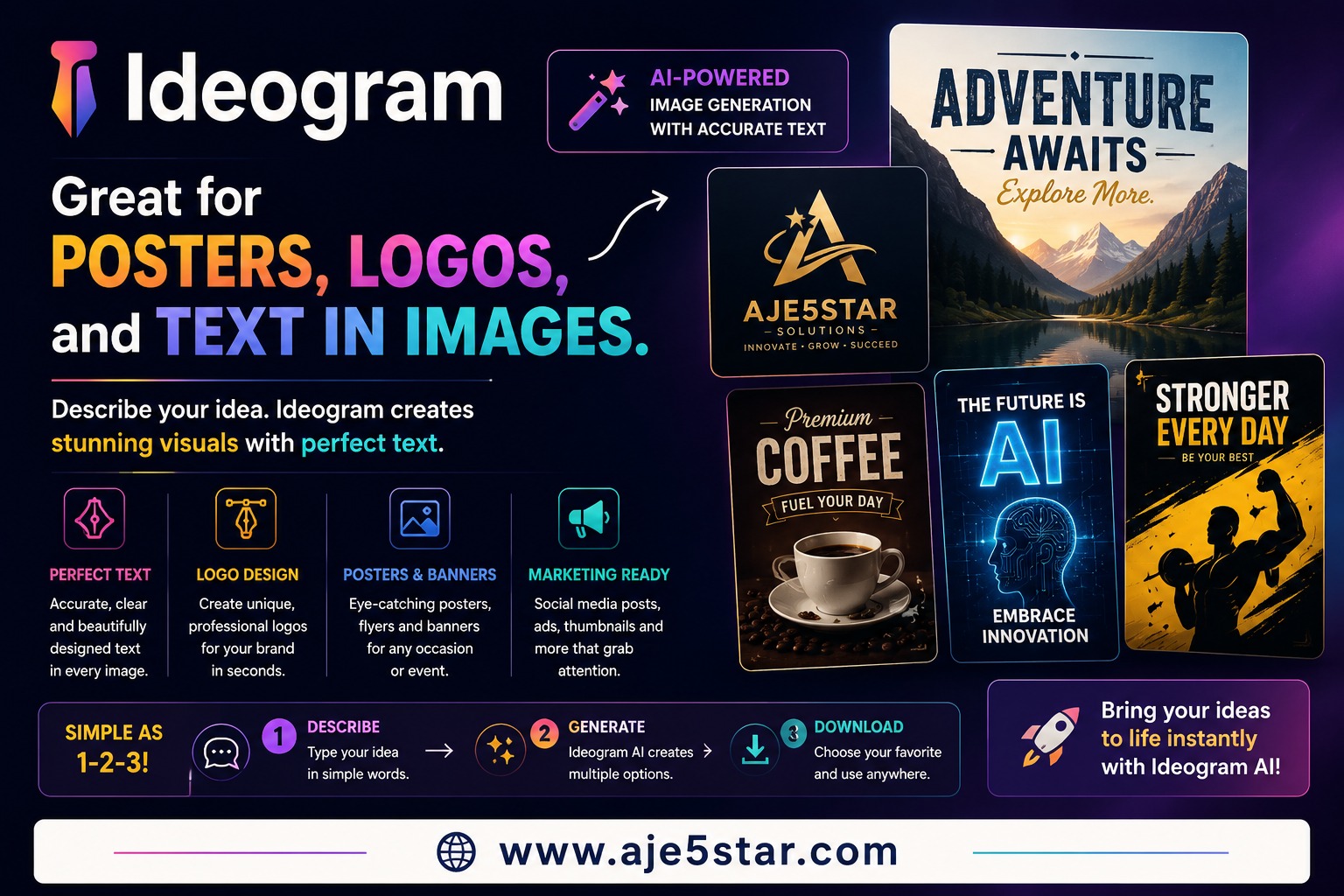
What Is Ideogram AI?
The Complete Beginner’s Guide to AI Image Generation, Logos, Posters & Text Design Introduction Artificial Intelligence (AI) is changing the way people create images, logos, posters, advertisements, and digital content. One of the most exciting AI image generators available today is Ideogram AI. Unlike many image generators that struggle to create readable text inside images, Ideogram is famous for producing beautiful graphics with clear text, making it ideal for posters, logos, banners, social media graphics, business branding, and marketing materials. Whether you’re a student, entrepreneur, blogger, marketer, designer, or complete beginner, Ideogram AI can help you create professional-quality visuals without expensive software or design skills. In this guide, you’ll learn: What Ideogram AI is How Ideogram works Why it’s different from other AI image generators How it helps with design and branding How it supports marketing and SEO How businesses use it How beginners can start using it What Is Ideogram AI? Ideogram AI is an artificial intelligence image generator. It allows users to create images simply by describing what they want. Instead of spending hours designing graphics manually, you type a prompt and Ideogram creates the image for you. For example, you can type: “Luxury gold business logo with black background.” Or: “Modern travel poster promoting Dubai with bold typography.” Within seconds, Ideogram generates multiple design options. Why Is Ideogram Different? Many AI image generators can create beautiful artwork. However, most struggle when text needs to appear inside the image. Ideogram is different because it excels at generating readable and attractive text within images. This makes it ideal for: Logos Posters Flyers Business banners Advertisements Social media graphics Product promotions Website graphics This feature has helped Ideogram become one of the most popular AI design tools. How Does Ideogram Work? Imagine hiring a professional graphic designer. Normally you would explain: Your business, Your design style, Your colors, Your message The designer would then create the graphic. Ideogram works similarly. You simply describe your idea using words. The AI then creates visual designs based on your instructions. The more detailed your prompt, the better the results. Ideogram for Logos One of Ideogram’s strongest features is logo design. Businesses need logos to create professional branding. A good logo helps customers: Recognize a business Build trust Remember the brand Example Prompt “Premium luxury logo for Aje5star, gold and black colors, modern design, professional branding.” Ideogram can generate multiple logo concepts instantly. This saves both time and money. Ideogram for Posters Posters are commonly used for: Events Products Courses Promotions Businesses Marketing campaigns Ideogram can create eye-catching posters with clear typography and professional layouts. Example Prompt “Modern AI business course poster with blue and gold colors, bold headline, futuristic design.” The AI can generate multiple poster styles within seconds. Ideogram for Social Media Graphics Social media platforms require attractive visuals. Ideogram helps create graphics for: Facebook Instagram X Pinterest LinkedIn YouTube thumbnails Example Prompt “YouTube thumbnail for Top 10 AI Tools in 2026, bright colors, bold text, professional design.” This helps content creators increase clicks and engagement. Ideogram for Writing Although Ideogram is primarily an image generator, it supports writers by helping visualize ideas. Writers can create: Blog banners Article illustrations Ebook covers Promotional graphics For example: A blogger writing about AI can generate custom featured images instead of using generic stock photos. This improves content quality and engagement. Ideogram for Brainstorming Creativity can be difficult. Ideogram helps people visualize ideas quickly. You can brainstorm: Business logos Brand concepts Product packaging Marketing campaigns Website designs Seeing ideas visually often sparks new inspiration. Ideogram for Marketing Marketing is about attracting attention and communicating value. Visual content plays a major role in successful marketing. Ideogram helps marketers create: Ad creatives Product promotions Social media graphics Event posters Business banners Brand materials Example A business launching a new product can create professional advertisements without hiring a designer. This reduces costs and speeds up production. Ideogram for SEO SEO stands for Search Engine Optimization. SEO helps websites rank higher on Google. Many people think SEO only involves text, but images also play an important role. High-quality images can: Increase engagement Reduce bounce rates Improve user experience Generate image search traffic Increase social shares Ideogram helps website owners create unique images instead of using overused stock photos. This can improve overall content quality. Example A website about AI tools can create custom banners and featured images for every article. This makes content more attractive and professional. Ideogram for Research Researchers and professionals often need visual presentations. Ideogram can help create: Infographics Educational graphics Presentation visuals Data illustrations Educational posters Visual communication often makes complex information easier to understand. Can Ideogram Help With Coding? Ideogram is not a coding platform. However, developers often use it to create: Website banners User interface concepts Landing page graphics App promotional images These visuals can then be integrated into websites and applications. Who Uses Ideogram AI? Entrepreneurs Business owners use Ideogram for: Branding Marketing Advertising Product launches Bloggers Bloggers use Ideogram for: Featured images Blog graphics Social media promotion Content Creators Creators use Ideogram for: YouTube thumbnails Social media graphics Brand assets Designers Designers use Ideogram for: Rapid prototyping Creative inspiration Concept generation Can Ideogram Help You Make Money? Many people use Ideogram to support income-generating activities. Examples include: Freelance design services Logo creation Social media management Blogging Affiliate marketing Ecommerce Digital product creation While Ideogram doesn’t generate income directly, it helps people create valuable visual assets much faster. Advantages of Ideogram AI Excellent Text Generation One of the best AI tools for readable text inside images. Easy to Use No graphic design experience required. Saves Time Creates professional graphics in seconds. Great for Branding Ideal for logos, posters, and marketing materials. Improves Content Quality Custom visuals often outperform generic stock images. Limitations of Ideogram AI Like all AI tools, Ideogram has limitations. Sometimes it may: Misinterpret prompts Generate imperfect designs Require multiple attempts Need manual editing The best results often come from refining prompts. The Future of Ideogram AI AI image
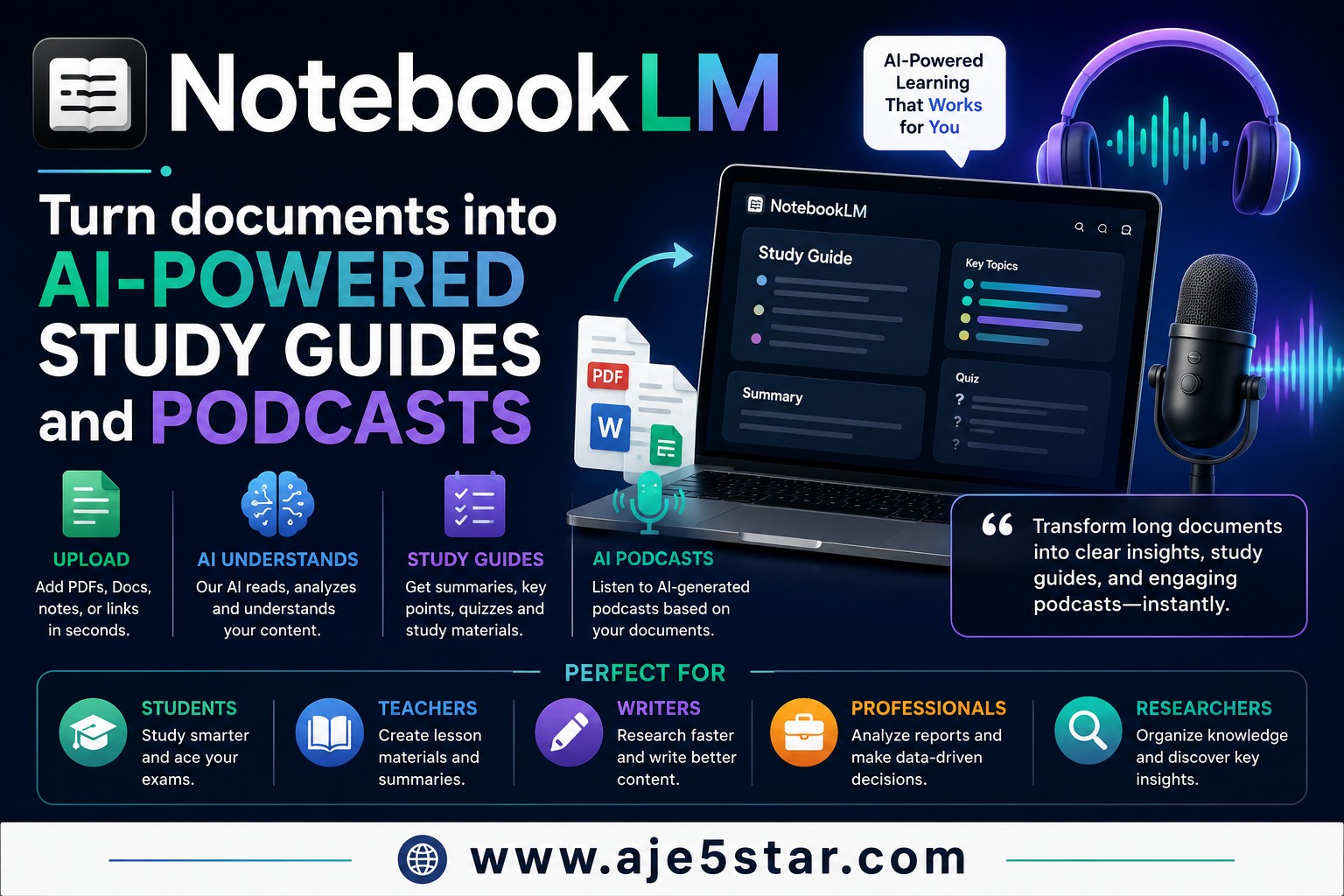
What Is NotebookLM?
Unlocking the Secrets of Sustainable Living: A Comprehensive Guide

what-is-perplexity-ai-beginners-guide
The Complete Beginner’s Guide to AI Search, Research, Writing & SEO Introduction The internet contains billions of websites and an endless amount of information. Finding accurate answers can sometimes take hours of searching through articles, blogs, and videos. This is where Perplexity AI comes in. Perplexity AI is one of the fastest-growing Artificial Intelligence tools in the world because it combines the power of AI with internet search. Unlike traditional search engines that show a list of links, Perplexity AI provides direct answers and includes source citations so users can see where the information comes from. Whether you’re a student, blogger, business owner, researcher, marketer, programmer, or complete beginner, Perplexity AI can help you find information faster and more accurately. This guide explains everything in simple language that both beginners and experienced users can understand. What Is Perplexity AI? Perplexity AI is an AI-powered search engine. Think of it as a smarter version of a traditional search engine. Instead of showing you hundreds of links and expecting you to find the answer yourself, Perplexity AI searches the internet, reads information from multiple sources, and then provides a summarized answer. Most importantly, it shows source citations. This means you can verify where the information came from. Why Is Perplexity AI Different? Traditional search engines work like this: You ask a question. The search engine shows links. You open multiple websites. You read articles. You find the answer. Perplexity AI works differently: You ask a question. Perplexity searches the web. It analyzes information. It provides a direct answer. It cites its sources. This saves a huge amount of time. What Are Source Citations? One of Perplexity’s biggest advantages is source citations. A citation tells you where the information came from. For example, if Perplexity explains a medical topic, it may provide links to trusted health websites. If it discusses technology, it may cite respected technology publications. This helps users: Verify information Avoid misinformation Trust the results Conduct deeper research This is one reason many professionals prefer Perplexity for research. How Does Perplexity AI Work? Imagine having a research assistant who searches thousands of websites in seconds. That assistant reads the information and then gives you a simple explanation. That’s similar to how Perplexity AI works. It combines: Artificial Intelligence, Natural Language Processing, Web Search, Information Analysis The result is fast and easy-to-understand answers. Perplexity AI for Research Research is where Perplexity truly shines. Instead of spending hours reading websites, Perplexity can quickly summarize information. It helps users: Compare products Analyze industries Understand complex topics Study current events Learn new skills Example Ask: “What are the advantages and disadvantages of electric vehicles?” Perplexity can summarize information from multiple sources and show where the information came from. Perplexity AI for Writing Many people use Perplexity as a writing assistant. It can help create: Blog posts Articles Reports Newsletters Product descriptions Website content Example Ask: “Write a beginner-friendly article about cryptocurrency.” Perplexity can generate content while also helping gather supporting information. This makes content creation faster. Perplexity AI for Brainstorming Coming up with ideas can be difficult. Perplexity can help generate ideas for: Businesses Blogs YouTube channels Products Startups Marketing campaigns Example Ask: “Give me 100 online business ideas for beginners.” Perplexity can provide a large list of ideas and related information. Perplexity AI for Coding Programmers use Perplexity to: Learn programming Solve coding problems Generate code Debug software Understand technical concepts Supported technologies include: HTML CSS JavaScript Python PHP SQL Example Ask: “Create a responsive landing page using HTML and CSS.” Perplexity can provide code and explanations. Perplexity AI for Marketing Marketing requires research and creativity. Perplexity can assist with: Market research Competitor analysis Content marketing Social media ideas Email campaigns Advertising strategies Example Ask: “Create a marketing strategy for an online fitness business.” Perplexity can provide recommendations based on current information. Perplexity AI for SEO SEO stands for Search Engine Optimization. SEO helps websites appear higher on Google. When people search for: Best laptops Make money online AI tools Weight loss tips Google decides which websites rank first. Good SEO helps increase traffic. Perplexity can help with: Keyword research Content ideas SEO titles Meta descriptions Competitor analysis Search intent research Example Ask: “Find SEO keywords related to AI business.” Perplexity can provide keyword suggestions and explain user intent. Who Uses Perplexity AI? Students Students use Perplexity for: Homework help Research projects Exam preparation Learning new subjects Bloggers Bloggers use Perplexity for: Content research Keyword ideas Topic generation Fact checking Business Owners Businesses use Perplexity for: Market research Competitor research Customer insights Strategic planning Developers Developers use Perplexity for: Coding help Technical research Software troubleshooting Can Perplexity AI Help You Make Money? Many people use Perplexity to improve productivity and discover opportunities. Examples include: Blogging Affiliate marketing Freelancing Ecommerce Digital products Online courses Content creation Perplexity does not automatically make money for you, but it helps you find information faster and make better decisions. Advantages of Perplexity AI Provides Source Citations Users can verify information directly. Saves Time Research that takes hours can often be completed in minutes. Easy to Use Simply ask a question in plain language. Excellent for Research Perplexity gathers information from multiple sources quickly. Great for Learning It explains complicated topics in simple words. Limitations of Perplexity AI No AI tool is perfect. Sometimes Perplexity may: Misinterpret questions Cite incomplete sources Miss important context Generate inaccurate summaries Always verify important information before making significant decisions. The Future of Perplexity AI AI-powered search is becoming increasingly popular. Many experts believe search engines will continue evolving from simple link directories into intelligent research assistants. Perplexity is helping lead this transformation. Future improvements may include: Better reasoning Faster answers More accurate citations Improved research tools Deeper analysis capabilities Tips for Getting Better Results Ask Detailed Questions Instead of asking: “Tell me about AI.” Ask: “Explain how AI helps small businesses increase productivity.” Detailed questions produce better answers. Use Follow-Up Questions Examples: Explain further Give examples Compare alternatives Simplify this topic Check Sources
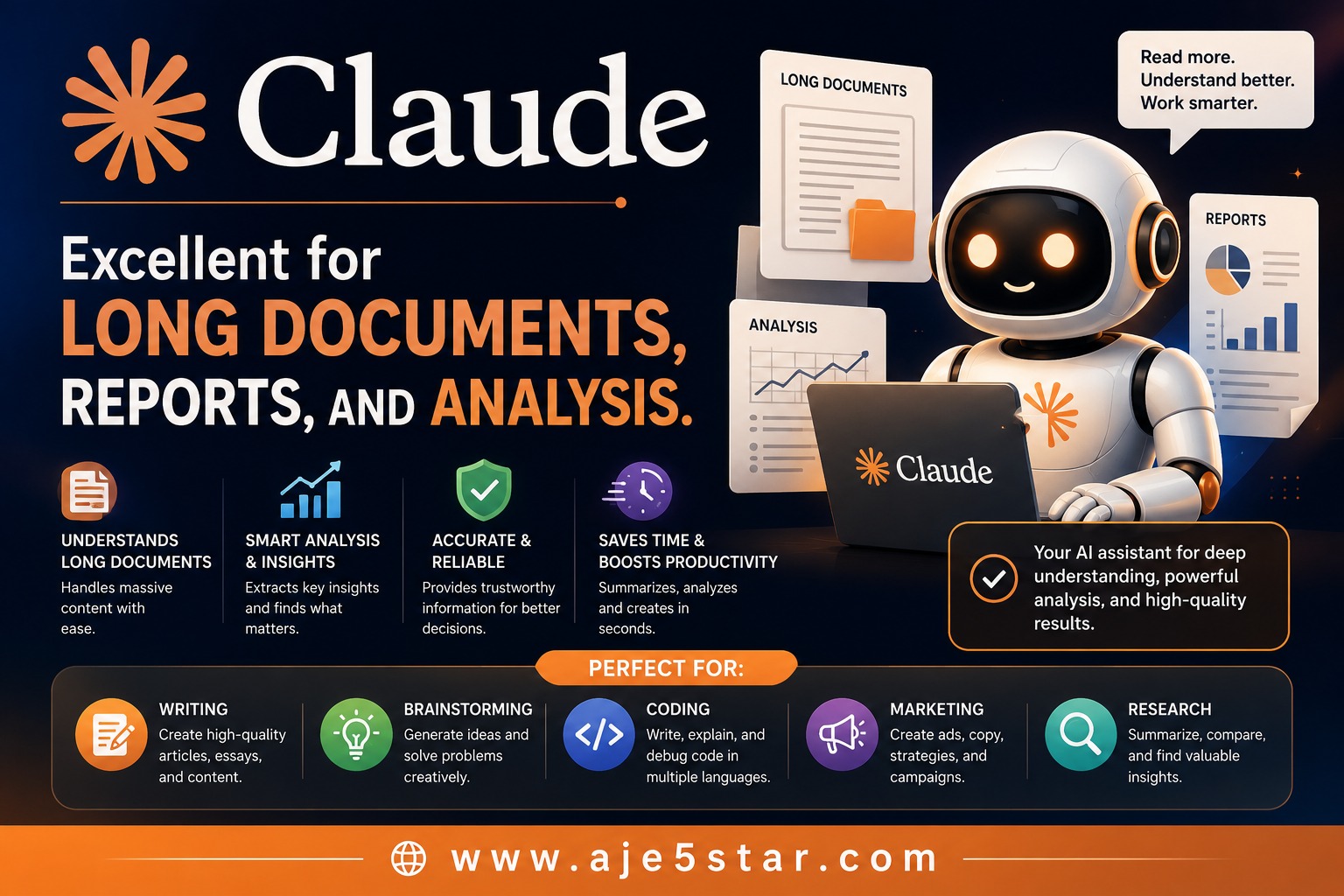
What Is Claude AI?
The Complete Beginner’s Guide to Writing, Coding, Marketing, Research & SEO Introduction Artificial Intelligence (AI) is transforming how people work, learn, and do business online. One of the most powerful AI tools available today is Claude AI. While many people have heard about AI tools like ChatGPT and Google Gemini, Claude has become especially popular because it is excellent at handling long documents, reports, research papers, and detailed analysis. If you’re new to AI and don’t understand what Claude is or how it can help you, this guide explains everything in simple language anyone can understand. By the end of this article, you’ll learn: What Claude AI is How it works Why do people use it How it helps with writing How it helps with brainstorming How it helps with coding How it helps with marketing How it helps with SEO How it helps with research and analysis What Is Claude AI? Claude AI is an advanced Artificial Intelligence assistant created by Anthropic. Think of Claude as a very intelligent digital assistant that can read, understand, and generate large amounts of information. You can ask Claude questions, upload documents, request reports, create content, analyze information, and solve problems. For example, you can ask: Write a blog post Analyze a business report Summarize a PDF Create a marketing strategy Write computer code Explain a complex topic simply Claude can help with all of these tasks. Why Is Claude Different? Many AI tools can answer questions. Claude stands out because it is particularly good at understanding long content. This includes: Ebooks Reports Research papers Business plans Contracts Website content Large documents Instead of reading hundreds of pages yourself, Claude can review the information and provide a simple summary. This saves a tremendous amount of time. How Does Claude Work? Imagine having a personal assistant who has read millions of books, articles, and documents. When you ask a question, that assistant quickly finds useful information and explains it clearly. That’s similar to how Claude works. Claude has been trained to: Understand language Recognize patterns Generate useful responses Analyze information Create content The more details you provide, the better Claude’s answers usually become. Claude for Writing One of the most popular uses of Claude is content creation. Writing often takes a lot of time and effort. Claude can help create: Blog posts Articles Newsletters Emails Product descriptions Social media content Ebooks Website content Example You can ask: “Write a 2,000-word blog post about healthy eating for beginners.” Claude can generate a complete draft within minutes. You can then edit and personalize it before publishing. Claude for Brainstorming Everyone experiences creative blocks. Sometimes people know they want to start a business or create content but don’t know where to begin. Claude can generate ideas for: Businesses Startups Blogs YouTube channels Products Marketing campaigns Website projects Example Ask: “Give me 100 online business ideas for beginners.” Claude can quickly generate a large list of possibilities. This makes brainstorming faster and easier. Claude for Coding Coding can seem complicated, especially for beginners. Claude helps programmers and non-programmers understand software development. Claude can: Write code Fix errors Explain code Build websites Create applications Generate scripts Supported languages include: HTML CSS JavaScript Python PHP SQL Example Ask: “Create a responsive landing page for my online course.” Claude can generate the code and explain how it works. Claude for Marketing Marketing is essential for attracting customers and growing a business. Claude can help create: Facebook ads Google ads Email campaigns Landing pages Sales pages Product descriptions Social media posts Example Ask: “Write five Facebook ads for a weight-loss coaching business.” Claude can generate multiple variations to test. This saves businesses time and money. Claude for SEO SEO stands for Search Engine Optimization. SEO helps websites rank higher on Google. When someone searches: “Best laptops” “How to lose weight.” “Make money online.” Google decides which websites appear first. Good SEO helps your content get more visitors. Claude can help with: Keyword research Blog outlines SEO titles Meta descriptions Content planning Internal linking ideas Example Ask: “Give me 50 SEO blog topics about AI business.” Claude can create content ideas optimized for search engines. Claude for Research Research can take many hours. Claude helps simplify the process. It can: Summarize articles Compare products Explain concepts Analyze reports Organize information Example Ask: “Explain the advantages and disadvantages of electric vehicles.” Claude can summarize large amounts of information into simple language. Claude for Business Reports This is one area where Claude truly shines. Business owners often need to understand: Financial reports Customer feedback Market research Competitor analysis Business strategies Claude can review large documents and explain important findings clearly. This helps business owners make better decisions. Who Uses Claude AI? Students Students use Claude to: Learn new subjects Study for exams Understand difficult concepts Summarize research papers Bloggers Bloggers use Claude for: Content creation Research SEO planning Keyword ideas Entrepreneurs Business owners use Claude for: Marketing Business planning Customer communication Research Developers Developers use Claude for: Coding Debugging Learning programming Can Claude Help You Make Money? Many people use Claude to improve productivity and build online businesses. Examples include: Blogging Freelance writing Affiliate marketing Ecommerce Online courses Digital products Social media management Claude doesn’t automatically generate income, but it helps people create content and complete tasks much faster. Advantages of Claude AI Excellent With Long Documents Claude handles large reports and long content exceptionally well. Easy to Understand It explains complex topics using simple language. Saves Time Hours of work can often be completed in minutes. Great for Research Claude can analyze and summarize information quickly. Strong Writing Abilities It produces detailed and well-structured content. Limitations of Claude AI Like all AI tools, Claude is not perfect. Sometimes it may: Make mistakes Misunderstand requests Provide outdated information Generate incorrect facts Always verify important information before making major decisions. The Future of Claude AI Artificial Intelligence continues to improve every year. Claude is expected to become even better at: Writing Analysis Research Coding Business