
4. Who Can Use Social Media Marketing?
Social media marketing is not only for large companies.
Businesses
Small businesses, online stores, restaurants, local businesses, and service providers.
Creators
Bloggers, YouTubers, influencers, artists, photographers, and content creators.
Professionals
Freelancers, consultants, coaches, developers, designers, and entrepreneurs.
Personal Brands
Anyone can build a personal brand around their knowledge, skills, interests, or experience.
5. Social Media Marketing vs. Social Media Management
Social Media Marketing
Social media marketing focuses on using social platforms to achieve marketing goals. For example:
“We want to generate more website visitors.”
Social Media Management
Social media management focuses more on the daily operation of social accounts. This can include:
- Publishing posts
- Responding to comments
- Answering messages
- Managing content
- Monitoring accounts
- Scheduling posts
A person can do both.
6. Understanding the Major Social Media Platforms
You don't need to master every platform. Start by understanding what each platform is commonly used for.
Visual content including Reels, Stories, photos, carousels, and live videos. Useful for fashion, food, travel, beauty, fitness, photography, creators, and stores.
Useful for businesses, local communities, groups, events, customer communication, and product promotion.
TikTok
Short-form video is central. Beginners can create tutorials, tips, stories, demonstrations, educational videos, and entertainment.
YouTube
Useful for tutorials, reviews, educational videos, interviews, vlogs, explainers, and both short and long videos.
Especially useful for professional and business-focused audiences.
Useful for visual discovery involving recipes, fashion, design, travel, DIY, crafts, and blogging.
7. How to Choose the Right Social Media Platform
Instead of trying to use every platform, answer three questions.
Where Is My Audience?
If your customers spend most of their time on Instagram, start there. If your audience is professional, LinkedIn may make more sense. If your content is video-based, YouTube or TikTok may be appropriate.
What Type of Content Can I Create?
If you enjoy making videos, choose a video-friendly platform. If you prefer writing, platforms supporting written content may be easier. If your business is highly visual, visual platforms may be useful.
What Is My Goal?
Your platform choice should support your goal.
Possible strategy: Local Facebook and Instagram content
Possible strategy: LinkedIn content
Possible strategy: YouTube or TikTok
8. Define Your Target Audience
A target audience is the group of people most likely to be interested in your content, product, or service.
Ask:
- Who are they?
- What problems do they have?
- What do they want?
- What questions do they ask?
- What type of content do they enjoy?
- Which platforms do they use?
- What would make them trust a business?
Example: Photography Course
Your audience might include:
- New photographers
- Smartphone photographers
- Content creators
- Small business owners
- Students interested in photography
Now you have a clearer idea of what to publish.
9. Create Your Social Media Goals
Don't start with only:
“I want 100,000 followers.”
Think about what you actually want the audience to do.
- Get 100 website visitors
- Generate customer inquiries
- Sell products
- Build an email list
- Increase brand awareness
- Get more bookings
- Grow your community
You can still track followers, but followers should not be your only measurement.
10. Build Your Social Media Profile
Your profile is your online introduction.
Make it easy for someone to understand:
- Who are you?
- What do you do?
- Who do you help?
- How can people contact you?
- Where can they learn more?
Use:
- A recognizable profile image
- A clear username
- A simple description
- A website link when appropriate
- Contact information
- A clear call to action
11. Create a Social Media Marketing Strategy
A strategy does not have to be complicated.
Audience
Who are you targeting?
Goal
What do you want to achieve?
Platform
Where will you publish?
Content
What will you create?
Schedule
How often will you publish?
Measurement
How will you know whether it worked?
12. What Should You Post on Social Media?
Create content that helps, informs, entertains, inspires, or connects with your audience.
Think about the person viewing your content instead of thinking only about selling.
13. The Different Types of Social Media Content
Educational Content
Teach something through tutorials, tips, explanations, and mistakes to avoid.
Entertaining Content
Use stories, challenges, trends, funny videos, and behind-the-scenes content.
Inspirational Content
Share success stories, personal journeys, lessons learned, and transformations.
Promotional Content
Show products, services, launches, offers, and new releases.
Community Content
Ask questions, create polls, start discussions, and invite customer opinions.
14. 50 Social Media Content Ideas for Beginners
- Introduce yourself
- Introduce your business
- Explain what you do
- Explain who you help
- Share your story
- Share a useful tip
- Answer a common question
- Create a tutorial
- Share a mistake to avoid
- Share a customer story
- Share a review
- Show behind the scenes
- Show your workspace
- Demonstrate your product
- Explain your service
- Compare two options
- Share five tips
- Share an industry fact
- Ask your audience a question
- Create a poll
- Share a motivational message
- Explain a difficult topic simply
- Share a lesson you learned
- Share a common myth
- Create a short video
- Share a before-and-after
- Share a checklist
- Create a beginner's guide
- Share a free resource
- Recommend a useful tool
- Answer a comment
- Share frequently asked questions
- Introduce your team
- Show how something is made
- Announce a new product
- Announce an event
- Share a special offer
- Share a business milestone
- Share customer feedback
- Explain your process
- Share a useful statistic
- Tell a story
- Share a common problem
- Explain how to solve that problem
- Ask people for opinions
- Create an educational series
- Repurpose an old article
- Turn a blog post into a video
- Share your goals
- Ask your audience what they want to learn next
15. How to Write Better Social Media Captions
A simple structure is:
Example
Hook: Your website may be losing customers without you knowing it.
Value: Here are three simple things you can check today...
Call to Action: Which one will you fix first?
What Is a Social Media Hook?
A hook is the opening part of your content designed to get attention.
- Stop making this beginner marketing mistake.
- 3 things I wish I knew before starting my business.
- Here's how to create your first social media strategy.
- If you have a small business, watch this.
- You don't need thousands of dollars to start marketing online.
16. How to Create Short-Form Videos
You don't need to create a movie. Start simple.
1. Hook
Get attention.
2. Main Point
Teach or demonstrate one thing.
3. Conclusion
Give the viewer a useful takeaway.
4. Call to Action
Ask viewers to follow, comment, save, share, or visit your website.
17. How to Get Your First Followers
Don't worry about getting thousands immediately. Focus on genuine followers.
- Tell friends about your account
- Share useful content
- Respond to relevant conversations
- Use appropriate keywords and hashtags
- Collaborate with others
- Create short videos
- Answer questions
- Join relevant communities
- Promote your social profile on your website
Most importantly, give people a reason to follow.
18. How to Increase Social Media Engagement
Engagement happens when people interact with your content.
Instead of:
“We launched our new product.”
Try:
“Which version would you choose?”
Give people something easy to respond to.
19. How to Promote Your Business on Social Media
- Show products
- Answer questions
- Share customer reviews
- Create tutorials
- Post local content
- Demonstrate expertise
- Build a community
- Promote offers
- Send traffic to your website
20. Social Media Marketing for Small Businesses
Small businesses can use social media to compete for attention without needing a huge marketing department.
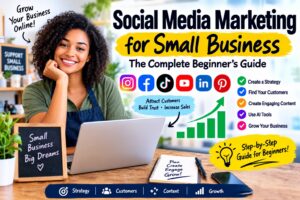
For a deeper beginner-focused guide, explore: Social Media Marketing for Small Business: The Complete Beginner's Guide.
21. Instagram Marketing for Beginners
Instagram beginners should focus on creating useful visual content.
- Reels
- Stories
- Carousels
- Product photos
- Educational posts
- Customer stories
Don't worry about making every post perfect. Focus on learning what your audience responds to.
22. Facebook Marketing for Beginners
- Add your business information.
- Add a profile image.
- Add a cover image.
- Add your website.
- Publish useful content.
- Respond to comments.
- Answer messages.
- Share customer experiences.
- Participate appropriately in relevant communities.
- Track your results.
23. TikTok Marketing for Beginners
TikTok can be a place to experiment with short videos.
- Tutorials
- Tips
- Stories
- Product demonstrations
- Educational videos
- Business lessons
- Behind-the-scenes content
Don't try to copy every trend. Look for ways to connect popular content formats with your own topic.
24. YouTube Marketing for Beginners
YouTube is useful for educational and searchable content.
Long videos can also be broken into shorter clips for other platforms.
25. LinkedIn Marketing for Beginners
LinkedIn can be useful when your audience includes professionals or businesses.
- Business lessons
- Industry insights
- Career tips
- Case studies
- Tutorials
- Professional opinions
- Company news
Focus on helping people rather than constantly promoting yourself.
26. Pinterest Marketing for Beginners
Pinterest can work well for visually searchable topics.
- Guides
- Tutorials
- Checklists
- Recipes
- Design
- Fashion
- Travel
- DIY
- Business resources
27. Social Media Marketing With AI
AI can act as a useful assistant for content creation.
Beginners can use AI to brainstorm:
- Post ideas
- Captions
- Headlines
- Video scripts
- Content calendars
- Blog topics
- Questions
- Marketing campaigns
“Create 30 social media post ideas for a beginner photography business.”
Do not blindly copy everything AI generates. Add your own experience, personality, examples, brand voice, and customer knowledge.
AI for Social Media Captions
You can ask an AI assistant to write different caption styles and then edit the result.
AI for Social Media Content Calendars
| Day | Content Type |
|---|---|
| Monday | Educational |
| Tuesday | Product |
| Wednesday | Video |
| Thursday | Customer Story |
| Friday | Tip |
| Saturday | Behind the Scenes |
| Sunday | Community Question |
28. Free Social Media Marketing Tools
Beginners can start without buying dozens of expensive tools.
🎨 Design Tools
Create posts, banners, stories, and graphics.
🖼️ Image Tools
Compress, resize, crop, remove backgrounds, convert formats, and add watermarks.
🤖 AI Tools
Generate ideas, scripts, captions, images, and content plans.
📊 Analytics Tools
Track traffic, engagement, clicks, and audience behavior.
Explore Free Tools
30. Social Media Content Calendar
A content calendar tells you what you plan to publish and when.
| Day | Content |
|---|---|
| Monday | Educational tip |
| Tuesday | Product post |
| Wednesday | Short video |
| Thursday | Customer story |
| Friday | Promotional post |
| Saturday | Behind the scenes |
| Sunday | Question |
The purpose is not to create a perfect schedule. The purpose is to avoid staring at your phone every morning wondering what to post.
31. Organic Social Media Marketing
Organic social media marketing means creating and sharing content without paying directly for advertising distribution.
- Regular posts
- Videos
- Stories
- Community conversations
- Educational content
- Customer posts
Organic marketing can take time, but it can help build an audience through regular content and relationships.
32. Paid Social Media Advertising
Paid social media advertising means paying a platform to show advertisements to selected audiences.
Depending on the platform, targeting may include factors such as:
- Location
- Interests
- Demographics
- Behaviors
- Existing audiences
Paid advertising can provide additional distribution, but spending money does not guarantee sales.
| Approach | Cost | Focus |
|---|---|---|
| Organic | Usually lower direct cost | Content and relationships |
| Paid | Advertising budget required | Targeted advertising |
33. How to Measure Social Media Marketing
You cannot improve what you never measure.
Reach
How many people saw your content?
Engagement
How many people interacted with it?
Followers
Is your audience growing?
Website Clicks
Are people visiting your website?
Leads
Are people contacting you?
Sales
Is social media helping generate purchases?
Don't Focus Only on Followers
More followers do not automatically mean more money. Focus on the quality and relevance of your audience.
34. Common Beginner Mistakes
Mistake 1: Trying Every Platform
You don't need to manage every social network. Start small.
Mistake 2: Posting Without a Goal
Know why you're creating the content.
Mistake 3: Selling All the Time
Give value before asking people to buy.
Mistake 4: Buying Followers
Fake or irrelevant followers don't create a genuine community.
Mistake 5: Copying Other Creators
Learn from successful content, but develop your own voice.
Mistake 6: Giving Up Too Early
One bad post does not mean your strategy failed.
Mistake 7: Ignoring Your Audience
Read comments, answer questions, and listen to feedback.
Mistake 8: Making Everything Too Complicated
Then expand.
35. A Simple 30-Day Social Media Marketing Plan
Days 1–3: Setup
- Choose your main platform.
- Create or improve your profile.
- Write a clear description.
- Add your website or contact information.
Days 4–7: Research
- Write down 20 customer questions.
- Write down 10 customer problems.
- Write down 10 topics your audience cares about.
Days 8–14: Start Posting
- 2 educational posts
- 2 short videos
- 1 business introduction
- 1 customer-focused post
- 1 question
Days 15–21: Improve
Review:
- What topic worked?
- What format worked?
- What received comments?
- What received shares?
- What generated clicks?
Days 22–27: Build Trust
- Tutorial
- Customer story
- Behind-the-scenes post
- Helpful checklist
- Frequently asked question
- Product demonstration
Days 28–30: Review
| Metric | Your Result |
|---|---|
| Best post | ________________ |
| Best video | ________________ |
| Most comments | ________________ |
| Most shares | ________________ |
| Most website clicks | ________________ |
| Most customer inquiries | ________________ |
36. How to Turn Followers Into Customers
Getting followers is only one part of social media marketing. You need a path from attention to action.
Or:
Make the next step obvious.
- Visit our website
- Learn more
- Send us a message
- Book now
- Get a quote
- Try it today
- View our products
- Download the guide
- Sign up
Create Content Around Problems
One of the easiest ways to create useful content is to identify problems.
Problem
“I don't know how to edit photos.”
Content
“5 simple photo editing tips for beginners.”
Problem
“I don't know what to post.”
Content
“30 social media content ideas for beginners.”
Problem
“My website is slow.”
Content
“7 things that can make a website slow.”
Save Time With Social Media Marketing
Try content batching. Instead of creating one post every day, create several pieces of content in one session.
One article can also become:
- 5 social posts
- 3 short videos
- 1 carousel
- 1 email
- 10 short tips
Build a Simple Content System
Pillar 1: Education
Teach something.
Pillar 2: Entertainment
Make people enjoy your content.
Pillar 3: Trust
Show your experience and customer results.
Pillar 4: Products
Show what you sell.
Pillar 5: Community
Ask questions and encourage discussion.
Social Media Marketing and SEO
Social media marketing and SEO are different strategies, but they can work together.
For example, a blog article titled: “10 Social Media Marketing Tips for Beginners” can become:
- Instagram posts
- Facebook posts
- TikTok videos
- YouTube Shorts
- LinkedIn posts
- Pinterest graphics
You can also link your social content back to your website where appropriate. This creates a larger content ecosystem.
How Beginners Can Build a Personal Brand
Social media is not only for businesses. You can build a personal brand around your knowledge.
- A designer can post design tips.
- A programmer can post coding tutorials.
- A photographer can post photography lessons.
- A writer can post writing tips.
- A fitness professional can share educational content.
Over time, people can begin associating your name with your area of expertise.
The Most Important Rule for Beginners
Your first post doesn't need to be perfect. Your first video doesn't need to go viral. Your first month doesn't need to generate thousands of customers.
The goal at the beginning is to learn.
37. Frequently Asked Questions
Social media marketing for beginners is the process of learning how to use social platforms to build an audience, promote content, communicate with customers, increase awareness, and achieve business or personal goals.
Start by choosing an audience, selecting one or two platforms, creating a professional profile, setting a goal, and publishing useful content consistently.
Yes. There are many free resources, guides, videos, communities, and online tools that can help beginners learn the basics.
No. You can learn social media marketing by building a personal brand, creator account, educational account, or community.
Beginners should consider starting with one or two platforms rather than trying to manage everything at once.
There is no universal number that works for every account. Choose a schedule you can maintain consistently and adjust based on your results.
Create useful content, understand your audience, engage with relevant communities, use appropriate platform features, and give people a clear reason to follow you.
Paid advertising can be useful, but beginners should first understand their audience, offer, content, and basic measurements before committing significant money.
Yes. AI can help with content ideas, captions, scripts, planning, research, and other tasks. Always review and personalize AI-generated content.
It depends on how much you practice and what type of marketing you are learning. The fastest way to improve is usually to learn the basics and apply them consistently.
Social media marketing can support different business models, including selling products, services, courses, memberships, advertising, affiliate marketing, and other online businesses. Results vary greatly by business model, audience, offer, and execution.
Beginner Social Media Marketing Checklist
Before publishing your next post, ask:
38. Final Thoughts
Social media marketing for beginners does not need to be complicated.
You can start with a smartphone, an internet connection, a social media account, and a willingness to learn.
The basic process is simple:
Choose your platform.
Set a goal.
Create useful content.
Publish consistently.
Talk to your audience.
Measure your results.
Improve your strategy.
Don't become obsessed with going viral. Don't worry about having perfect equipment. Don't try to copy everyone else.
Instead, focus on understanding the people you want to reach and creating content that genuinely helps them.
Over time, your social media account can become more than a collection of posts. It can become a place where people discover your brand, learn from you, trust you, visit your website, and potentially become customers.
And remember:
You do not have to start big. You just have to start.
Ready to Start?
Explore free online tools, AI resources, digital guides, and useful resources for creators, businesses, and beginners.
Visit Aje5starLearn. Create. Share. Improve. Grow.