

Artificial intelligence is changing the way people work, study, create content, run businesses and make money online. Just a few years ago, many advanced AI technologies were available only to large companies and professional developers. Today, anyone with an internet connection can access powerful AI tools, including many with free plans.
Whether you are a student, freelancer, small business owner, content creator, blogger or complete beginner, AI can help you save time, improve productivity and complete tasks more easily.
The best part? You do not need to spend hundreds of dollars to get started.
There are free AI tools that can write articles, generate images, create videos, summarize documents, translate languages, build websites, generate computer code and help you research almost any topic.
In this guide, we will explore more than 100 AI tools and useful platforms across different categories. You will discover what each tool does, who should use it and how you can get started.
Let’s explore the best free AI tools in 2026!
Table of Contents
- What Are AI Tools?
- Best Free AI Chatbots
- Best Free AI Writing Tools
- Best Free AI Image Generators
- Best Free AI Video Generators
- Best Free AI Audio and Voice Tools
- Best Free AI Research Tools
- Best Free AI Coding Tools
- Best Free AI Website Builders
- Best Free AI Productivity Tools
- Best Free AI Business and Marketing Tools
- Best Free AI Tools for Students
- Best Free AI Tools for Making Money
- How to Choose the Right AI Tool
- How to Start Using AI for Free Today
- Frequently Asked Questions
1. What Are AI Tools?
AI tools are websites, applications and software programs that use artificial intelligence to help people complete different tasks.
Instead of doing everything manually, you can give an AI tool instructions and allow it to assist you.
For example:
- Need an article? An AI writing assistant can help create a draft.
- Need a picture? An AI image generator can turn your description into an image.
- Need a video? An AI video platform can help create or edit video content.
- Need a website? An AI website builder can generate a website from your instructions.
- Need computer code? An AI coding assistant can help write and explain it.
AI tools are useful because they reduce repetitive work and make advanced technology easier to access.
However, AI is not perfect. You should always review important information, check facts and make sure generated content meets your requirements.
2. Best Free AI Chatbots
AI chatbots are among the most popular artificial intelligence tools. They can answer questions, explain difficult topics, generate ideas, help with writing and assist with everyday tasks.
Here are some AI chatbots worth exploring.
1. ChatGPT
Website: https://chatgpt.com/
ChatGPT is an AI assistant that can help you write articles, answer questions, brainstorm business ideas, explain technology, analyze information and generate creative content.
It is particularly useful for beginners because you can communicate with it using everyday language.
Best for: Writing, learning, brainstorming, coding and productivity.
Free access: Yes, with usage limits.
2. Google Gemini
Website: https://gemini.google.com/
Google Gemini is an AI assistant that helps users research information, generate content, understand complex topics and work with supported Google services.
Best for: Research, writing, learning and Google-connected productivity.
Free access: Yes, with feature and usage limits.
3. Claude
Website: https://claude.ai/
Claude is an AI assistant known for helping with writing, document analysis, coding and complex instructions.
It is useful when you need help organizing ideas or working with longer documents.
Best for: Writing, document analysis and coding.
Free access: Yes, with usage limits.
4. Microsoft Copilot
Website: https://copilot.microsoft.com/
Microsoft Copilot can help users answer questions, generate ideas, research topics and complete everyday productivity tasks.
Best for: General assistance and Microsoft-connected workflows.
Free access: Yes, with feature limits.
5. Perplexity AI
Website: https://www.perplexity.ai/
Perplexity is an AI-powered search and research assistant. It provides answers with source references, making it useful when you want to investigate a topic.
Best for: Online research and finding information.
Free access: Yes, with limits on advanced features.
6. DeepSeek
Website: https://www.deepseek.com/
DeepSeek offers AI models and assistants for reasoning, writing, mathematics and programming.
Best for: Reasoning, technical questions and coding.
Free access: Check current access and service limits.
7. Poe
Website: https://poe.com/
Poe provides access to different AI bots through one platform. It allows users to explore different assistants and compare their responses.
Best for: Exploring different AI assistants.
Free access: Limited free usage is available.
3. Best Free AI Writing Tools
Writing is one of the most useful applications of artificial intelligence.
Bloggers, students, businesses and content creators can use AI writing tools to generate ideas, improve grammar, summarize information and prepare content.
Explore these tools:
| Tool | What It Does |
|---|---|
| ChatGPT | Articles, ideas and writing assistance |
| Claude | Long-form writing and editing |
| Gemini | Writing and research assistance |
| Grammarly | Grammar and spelling assistance |
| QuillBot | Paraphrasing and summarizing |
| DeepL Write | Improving written communication |
| Rytr | Marketing and content drafts |
| Copy.ai | Marketing content and workflows |
| Writesonic | AI writing and marketing |
| Wordtune | Rewriting and improving sentences |
| LanguageTool | Grammar and proofreading |
| Simplified | Content and marketing creation |
How to Use AI Writing Tools
Imagine you want to write an article about starting an online business.
You can enter this instruction:
“Write a beginner-friendly guide explaining how to start an online business with little money. Include practical steps, examples, common mistakes and useful tips.”
The AI assistant can generate a first draft.
You should then review the information, add original examples, improve the writing and include useful sources.
Important: AI-generated content should not simply be published without checking its accuracy and usefulness.
4. Best Free AI Image Generators
AI image generators turn written descriptions into digital images.
They are useful for bloggers, designers, advertisers, social media managers and website owners.
Here are some image generation platforms to explore.
1. Microsoft Designer
Website: https://designer.microsoft.com/
Helps users create visual designs and AI-generated images.
2. Ideogram
Website: https://ideogram.ai/
Useful for generating creative graphics, illustrations and images containing text.
3. Leonardo AI
Website: https://leonardo.ai/
Provides AI image generation and creative design tools.
4. Adobe Firefly
Website: https://firefly.adobe.com/
Offers AI-powered image generation and creative editing features.
5. Canva
Website: https://www.canva.com/
Provides design templates, editing tools and selected AI-powered creative features.
6. Playground
Website: https://playground.com/
A creative platform for exploring AI-assisted image generation and design.
7. Stable Diffusion
Website: https://stability.ai/
An ecosystem of image-generation models and tools for creative users and developers.
8. Recraft
Website: https://www.recraft.ai/
Useful for generating visual assets, illustrations and design concepts.
9. Freepik AI
Website: https://www.freepik.com/ai
Provides AI-powered image creation and other creative features.
10. Krea AI
Website: https://www.krea.ai/
Offers creative AI tools for image generation and visual experimentation.
Important: Free credits, commercial-use permissions, watermarks and image export options vary. Always check each provider’s current terms before using generated images for commercial projects.
5. Best Free AI Video Generators
Video content is growing across YouTube, TikTok, Instagram, Facebook and other social platforms.
AI video tools can help creators produce content, generate scenes, edit clips, create captions and develop video ideas.
Here are some platforms to explore:
| Tool | Main Purpose |
|---|---|
| CapCut | Video editing and automatic captions |
| Google Flow | AI-assisted video creation |
| Runway | AI video generation and editing |
| Pika | AI video creation |
| Kling AI | AI-generated video |
| Luma AI | AI video and creative generation |
| InVideo AI | Video creation from instructions |
| VEED | Online video editing |
| HeyGen | AI avatars and presentations |
| Synthesia | AI presenter videos |
| Descript | Video and audio editing |
| OpusClip | Turning longer videos into shorter clips |
| Canva | Video design and editing |
How to Create Videos Using AI
You can start with a simple workflow:
- Choose a topic for your video.
- Use an AI writing assistant to create a script.
- Generate or collect suitable images and video footage.
- Use an AI video editor to assemble the content.
- Add captions and background music.
- Review the finished video.
- Publish it on your preferred platform.
You do not need to be a professional video editor to start learning these skills.
Some platforms offer free access, while others provide limited credits or free trials. Check their current pricing and export restrictions.
6. Best Free AI Audio and Voice Tools
AI audio tools can generate speech, assist with voiceovers, clean recordings and create music.
They are especially useful for YouTubers, podcasters, advertisers and online educators.
| Tool | Main Purpose |
|---|---|
| ElevenLabs | AI voice generation |
| Suno | AI music creation |
| Udio | AI music experimentation |
| Adobe Podcast | Audio enhancement |
| Audacity | Audio recording and editing |
| Speechify | Text-to-speech |
| NaturalReader | Text-to-speech |
| Murf AI | AI voiceovers |
| Auphonic | Audio processing |
| Krisp | Noise cancellation |
Always review the licensing conditions before using AI-generated music or voices in commercial projects.
7. Best Free AI Research Tools
Researching information manually can take a lot of time.
AI research assistants can help you discover information, organize documents, summarize materials and explore complicated topics.
Here are some useful options:
- Perplexity AI – AI-powered search and research.
- Google NotebookLM – Research using your uploaded sources.
- Elicit – Research assistance for academic papers.
- Consensus – Finding research-based answers.
- Semantic Scholar – Discovering academic publications.
- Connected Papers – Exploring related academic papers.
- ResearchRabbit – Organizing and discovering research.
- Google Gemini – General research assistance.
- ChatGPT – Research planning and analysis.
- Scite – Exploring scientific citations.
Remember that AI research tools can make mistakes. Check original publications and reliable sources before using research in academic or professional work.
8. Best Free AI Coding Tools
You do not necessarily need years of programming experience to start learning how to build websites and applications.
AI coding assistants can explain programming concepts, generate example code, identify errors and help developers understand unfamiliar technologies.
Explore these platforms:
| Tool | What It Helps With |
|---|---|
| GitHub Copilot | AI coding assistance |
| Cursor | AI-assisted code editing |
| Replit | Online development and coding |
| Bolt.new | AI-assisted web development |
| Lovable | Building applications with AI |
| v0 | Generating frontend interfaces |
| Codeium / Windsurf | AI coding assistance |
| Gemini Code Assist | Programming assistance |
| Amazon Q Developer | Developer assistance |
| Tabnine | AI code completion |
| Aider | AI-assisted coding workflows |
| Continue | Open-source coding assistance |
Can Beginners Build Websites Using AI?
Yes. AI coding platforms can help beginners create simple websites and prototypes.
For example, you can describe what you want:
“Build a modern online store with a homepage, product categories, shopping cart, customer account and mobile-friendly design.”
An AI website-building platform can use that description to generate an initial project.
You still need to review the design, test functionality, secure the application and configure hosting before launching it.
9. Best Free AI Website Builders
Building a website used to require considerable technical knowledge.
Today, AI-powered website builders make it easier to create websites using descriptions and visual editing tools.
Here are some platforms worth exploring:
- Wix AI – AI-assisted website creation.
- Framer – Website design and publishing.
- Durable – AI-assisted business website creation.
- Hostinger Website Builder – AI-assisted website building.
- Webflow – Visual website development.
- WordPress – Flexible website publishing and management.
- 10Web – AI-assisted WordPress website creation.
- UiChemy – AI-assisted website design workflows.
- Lovable – AI-powered application creation.
- Replit – AI-assisted application development.
If you are starting a blog or business website, choose a platform that gives you control over your content, domain, SEO settings and website performance.
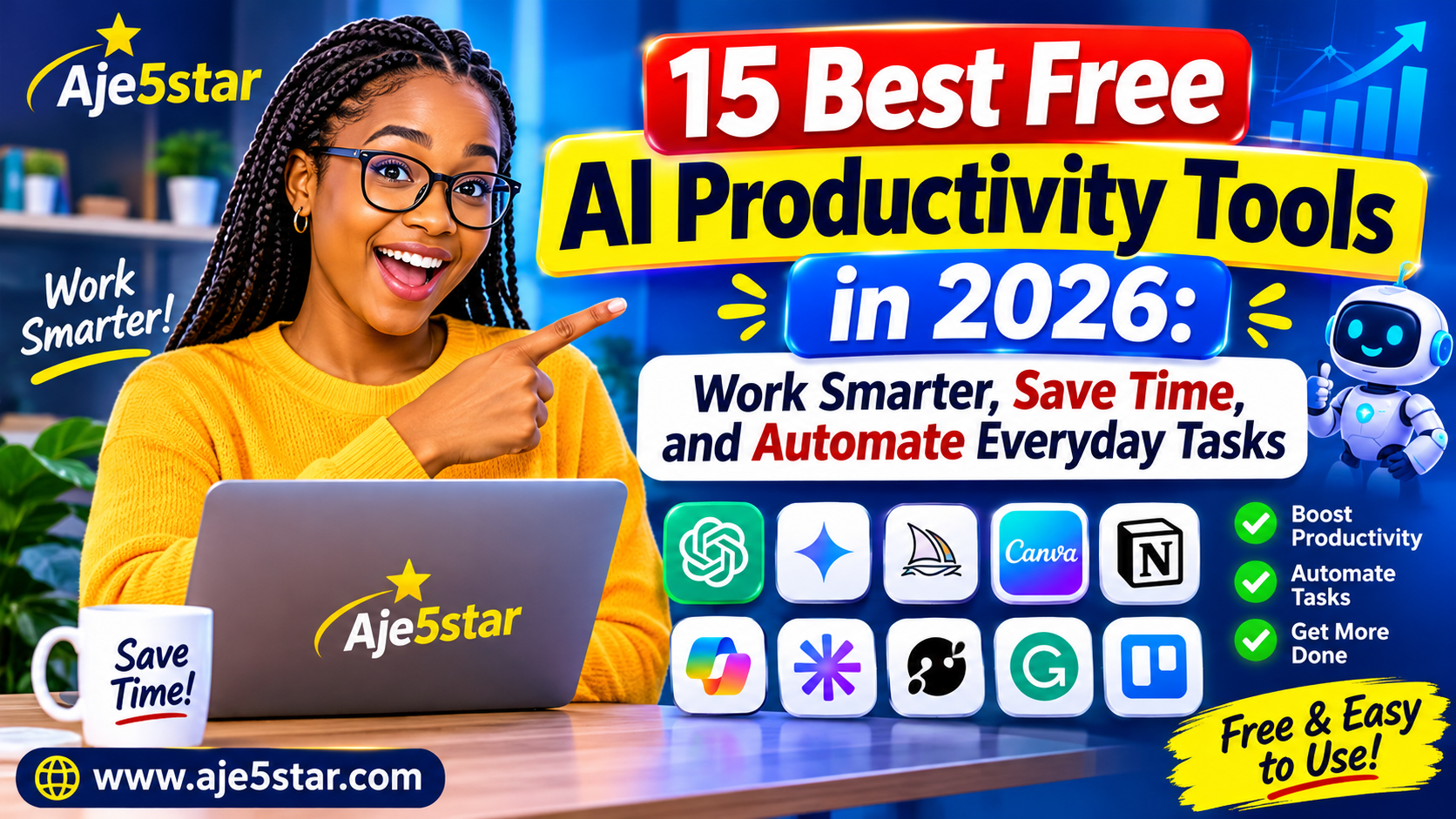
10. Best Free AI Productivity Tools
AI productivity tools help you organize tasks, summarize information, manage projects and complete repetitive activities.
Some useful platforms include:
- Notion AI – Writing and workspace assistance.
- Trello – Project organization and automation.
- ClickUp – Project and task management.
- Zapier – Connecting applications through automation.
- Make – Visual workflow automation.
- Otter.ai – Meeting transcription.
- Fireflies.ai – Meeting notes and summaries.
- Google Workspace – Productivity tools with AI features.
- Microsoft 365 – Productivity and AI-assisted workflows.
- Todoist – Task management.
Not every feature is free. Check each platform’s current plan before choosing it.
11. Best Free AI Business and Marketing Tools
Small businesses can use AI to improve marketing, create promotional content, organize customer information and develop business ideas.
Some useful tools include:
| Tool | Business Application |
|---|---|
| Canva | Marketing graphics |
| ChatGPT | Business ideas and content |
| HubSpot | CRM and marketing |
| Mailchimp | Email marketing |
| Buffer | Social media management |
| Metricool | Social media analytics |
| Semrush | SEO research |
| Ubersuggest | Keyword and SEO research |
| Google Analytics | Website traffic analysis |
| Google Search Console | Search performance |
| Brevo | Email marketing |
| Shopify | Online store management |
How Small Businesses Can Use AI
A small business can use AI to:
- Create social media captions.
- Generate advertising ideas.
- Write product descriptions.
- Prepare customer support responses.
- Research competitors.
- Plan marketing campaigns.
- Improve website content.
- Create promotional graphics.
- Analyze business information.
AI does not replace a good business strategy. It helps you execute your strategy more efficiently.
12. Best Free AI Tools for Students
Students can use AI to understand difficult subjects, organize notes, practice languages and improve their study habits.
Here are some useful tools:
- ChatGPT – Explaining difficult topics.
- Gemini – Study assistance and research.
- NotebookLM – Summarizing personal study materials.
- Grammarly – Grammar and writing assistance.
- QuillBot – Rewriting and summarizing.
- Wolfram Alpha – Mathematics and scientific calculations.
- Photomath – Mathematics learning assistance.
- Khan Academy – Educational learning resources.
- Quizlet – Flashcards and study activities.
- DeepL – Language translation.
How to Study Smarter With AI
Instead of asking AI to do all your homework, use it as a personal learning assistant.
For example:
“Explain photosynthesis in simple English. Give me five examples and then create ten practice questions to test my understanding.”
This approach helps you learn instead of simply copying answers.
Always follow your school’s academic integrity rules.
13. Best Free AI Tools for Making Money Online
AI is creating new opportunities for people who want to build online businesses, offer digital services or start freelancing.
However, AI does not guarantee income. You still need useful skills, customers, quality work and consistent effort.
Here are ten opportunities worth exploring.
1. Start an AI-Assisted Blog
Create a website about a topic you understand.
You can use AI to help research topics, organize article outlines, improve writing and create supporting graphics.
Possible income sources include advertising, affiliate marketing and digital products.
2. Offer Graphic Design Services
Use creative tools to develop social media graphics, advertising concepts, thumbnails and promotional designs.
Build a portfolio and offer services to small businesses.
3. Create YouTube Videos
Use AI to help prepare scripts, generate ideas, edit footage and create captions.
Focus on useful tutorials, educational content or entertaining videos.
4. Sell Digital Products
Create useful digital products such as:
- Ebooks.
- Templates.
- Checklists.
- Educational guides.
- Social media designs.
- Business planners.
Make sure your products provide original value.
5. Build Websites for Small Businesses
Learn website development with AI assistance.
You can offer website design, maintenance, landing pages and WordPress customization.
6. Offer Social Media Management
Help businesses plan content, create posts and organize publishing schedules.
7. Start an Online Tutoring Business
Use AI to prepare study materials, practice questions and lesson plans.
You must still provide accurate instruction and understand the subject you teach.
8. Offer Writing Services
Help clients prepare website copy, product descriptions, newsletters and marketing materials.
Edit every deliverable carefully.
9. Create Online Courses
Develop educational content around skills you understand.
AI can help organize lesson plans, quizzes and supporting worksheets.
10. Build a Useful Online Tool
If you have programming skills, AI coding assistants can help you develop calculators, converters, productivity tools and other useful web applications.
The most sustainable opportunities solve real problems for real customers.
14. How to Choose the Right AI Tool
With hundreds of AI tools available, choosing the right one can become confusing.
Use these five steps.
Step 1: Identify Your Goal
Decide what you want to achieve. Do you need to write, design, research, edit videos, generate code or manage your business?
Step 2: Check the Free Plan
Look at the free usage limits, export restrictions, watermarks and available features.
Step 3: Compare the Results
Try two or three tools using the same task. Compare the quality of their results.
Step 4: Check Privacy
Avoid uploading sensitive personal, financial or business information without understanding the provider’s privacy and data-use policies.
Step 5: Choose the Simplest Tool
The best AI tool is not necessarily the most complicated one. Choose something that solves your problem efficiently.
15. How to Start Using AI for Free Today
If you are completely new to artificial intelligence, follow this beginner-friendly plan.
Day 1: Learn AI Chatbots
Try ChatGPT, Gemini or Claude. Ask questions and learn how to write clear instructions.
Day 2: Explore AI Writing
Use a writing assistant to create a short article, email or social media caption.
Day 3: Create Images
Try an AI image generator and experiment with different descriptions.
Day 4: Explore Video Creation
Create a short video using an AI-assisted video editor.
Day 5: Learn Research
Explore Perplexity or NotebookLM to understand how AI can help with research.
Day 6: Build Something
Use an AI website builder or coding assistant to create a simple project.
Day 7: Choose a Skill
Select one AI-related skill and practice it consistently.
You do not need to learn everything at once. Start small and improve with experience.
Are Free AI Tools Really Free?
Many AI companies provide free plans, but free does not always mean unlimited.
A free plan may include:
- Limited daily messages.
- Monthly generation credits.
- Restricted export quality.
- Limited file uploads.
- Watermarked downloads.
- Fewer advanced features.
- Limits on commercial use.
Some platforms also provide temporary free trials rather than permanent free plans.
Before using any tool, check its official pricing page and terms of service. This is especially important if you plan to use AI-generated content for business purposes.
16. Frequently Asked Questions
What are the best free AI tools in 2026?
Some useful options include ChatGPT, Google Gemini, Claude, Perplexity, Canva, NotebookLM, Grammarly, GitHub Copilot and Microsoft Copilot. The best choice depends on what you want to accomplish.
Can I use AI tools without paying?
Yes. Many AI platforms offer free plans. However, advanced features, higher usage limits and commercial capabilities may require a subscription.
What is the best free AI tool for beginners?
ChatGPT, Gemini and Claude are good starting points because they allow users to interact using everyday language.
Which AI tool is best for creating images?
Ideogram, Microsoft Designer, Leonardo AI, Adobe Firefly and other image-generation platforms are worth exploring. Their free features and limits vary.
Can AI help me make money online?
Yes. AI can help you develop services, create digital products, build websites, produce content and improve business workflows. However, earning money requires useful skills, customers and consistent effort.
Are AI-generated articles good for Google SEO?
AI-assisted articles can be useful when they provide original, accurate and helpful information. Simply generating large amounts of low-quality content is not a reliable SEO strategy.
Focus on answering readers’ questions, demonstrating experience, checking facts and providing information that genuinely helps people.
Can AI replace human workers?
AI can automate certain tasks and change how many jobs are performed. However, human judgment, creativity, communication, problem-solving and specialist knowledge remain important.
Do I need programming skills to use AI?
No. Many AI platforms are designed for beginners. You can write instructions in everyday language without knowing how to code.
Conclusion: Start Exploring the Best Free AI Tools Today
Artificial intelligence is creating new opportunities for students, entrepreneurs, freelancers, small businesses and content creators.
You can use AI to write articles, create graphics, edit videos, learn new skills, build websites and improve your productivity.
The best approach is to start with a few tools that solve your immediate problems. Learn how they work, practice regularly and gradually explore more advanced features.
You do not need expensive software to begin your AI journey.
Start learning, start creating and use technology to build something valuable.
Explore More Free Online Tools at Aje5star
Looking for more ways to save time and work smarter?
Visit Aje5star.com to explore free online tools, technology guides, AI resources and helpful tutorials.
Our goal is to make useful digital tools and technology knowledge accessible to everyone.
Aje5star – Your destination for free tools, technology and digital opportunities.