
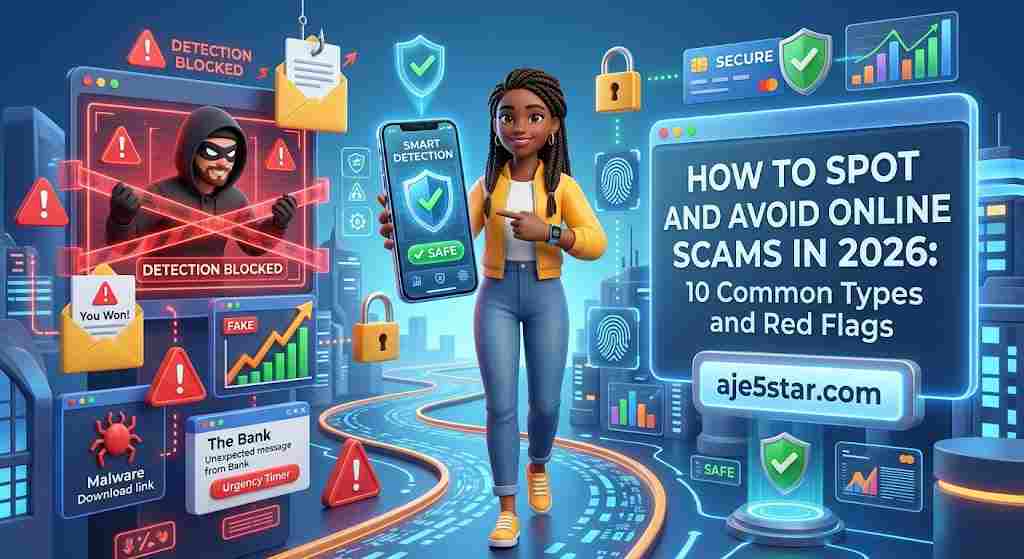
Online scams are getting harder to spot. Fake delivery texts, convincing bank emails, “too good to be true” job offers and messages from people you think you know can all be used to steal money or personal information.
The good news is that most scams rely on the same few tricks. Once you recognize the pattern, you can stop and think before you act.
This guide explains the most common online scams, the red flags to watch for, and exactly what to do if you think you have been targeted.
The Golden Rule
If a message creates urgency, fear or excitement and asks for money, codes or passwords, stop. Verify it through an official channel you find yourself, not through the message.
Table of Contents
- Why Scams Work
- 10 Common Online Scams
- Universal Red Flags
- How to Verify Before You Act
- What to Do If You Were Scammed
- Helping Family and Friends Stay Safe
- Frequently Asked Questions
1. Why Scams Work
Scammers rarely rely on technology alone. They rely on emotion. They try to make you feel rushed, scared, excited or sympathetic so you act before you think.
Anyone can be targeted. Being tricked does not mean you are careless. Scams are designed by people who do this for a living.
2. 10 Common Online Scams
1. Phishing Emails and Texts
Messages pretending to be from a bank, delivery company, government agency or well-known brand that push you to click a link or enter your details.
2. Fake Delivery Notifications
A message claims a package could not be delivered and asks you to pay a small fee or confirm your address through a link.
3. Fake Job Offers
Offers of easy, high-paying remote work that ask for upfront fees, personal documents or banking details. Legitimate employers do not charge you to be hired.
4. Prize and Lottery Scams
You are told you won something you never entered, but must pay a fee or share personal information to claim it.
5. Investment and Crypto Scams
Promises of guaranteed or unusually high returns with little risk. Real investments carry risk, and nobody can guarantee profit.
6. Romance Scams
Someone builds an emotional relationship online, then asks for money for an emergency, travel or a business problem.
7. Impersonation of Friends or Family
A hacked or cloned account messages you urgently asking for money or a verification code. Voice and message impersonation can be convincing, so confirm through a separate method.
8. Fake Customer Support
You search for a company’s support number and call a fraudulent listing, or get a pop-up claiming your device is infected and telling you to call a number or install software.
9. Online Shopping Scams
Fake stores or social media sellers advertise products at suspiciously low prices, take your payment and never deliver.
10. Tech and Account Security Scams
A message warns that your account is hacked and asks for a verification code or password “to secure it”. The real threat is the request itself.
3. Universal Red Flags
| Red Flag | What It Looks Like |
|---|---|
| Urgency | “Act now or your account will be closed.” |
| Unexpected contact | A message, call or offer you did not ask for. |
| Request for secrets | Passwords, PINs or one-time verification codes. |
| Unusual payment methods | Gift cards, wire transfers or cryptocurrency. |
| Too good to be true | Huge profits, free prizes or very low prices. |
| Mismatched details | Odd sender addresses, misspelled domains or poor grammar. |
| Pressure to keep it secret | “Do not tell your bank or family.” |
One red flag is a reason to slow down. Two or more is a strong reason to stop.
4. How to Verify Before You Act
- Pause. Take a few minutes before responding or paying.
- Do not use the contact details in the message. Instead, go to the organization’s official website or the app you already use, or call the number on your card or statement.
- Check the sender and the link. Look closely at the email address and domain. Many fake sites look nearly identical to real ones.
- Search for the offer or company name with words such as “scam” or “reviews”, and check how long the site has existed.
- Ask someone you trust. A second opinion can break the spell of urgency.
- Use safer payment methods when shopping, such as a credit card or a reputable payment service that offers buyer protection.
5. What to Do If You Were Scammed
If you think you have been targeted, act quickly and calmly.
- Stop contact. Do not send more money or information.
- Contact your bank or payment provider immediately. Ask whether the transaction can be stopped or disputed, and whether your cards need to be replaced.
- Change your passwords. Start with your email, then banking and any other accounts using the same password. Turn on two-factor authentication.
- Sign out of unknown devices and run a security scan if you installed anything.
- Keep evidence. Save messages, screenshots, receipts and website addresses.
- Report it. Report the scam to the platform where it happened and to the consumer protection or cybercrime authority in your country.
- Watch for follow-up scams. People who have been scammed are sometimes targeted again by “recovery” services that demand fees. Be cautious.
Reporting procedures differ by country, so check your national or local authority’s official website.
6. Helping Family and Friends Stay Safe
- Share the golden rule above, especially with older relatives and young people new to the internet.
- Agree on a family “safe word” or a second way to confirm any urgent request for money.
- Encourage them to call you before paying or sharing codes.
- Be supportive, not critical, if someone gets caught. Shame stops people from reporting quickly.
7. Frequently Asked Questions
How can I tell if a website is fake?
Check the domain spelling, look for contact details and policies, search for independent reviews, and be cautious of prices far below normal. A padlock or HTTPS alone does not prove a site is legitimate.
Should I click “unsubscribe” in a suspicious email?
It is safer to delete it or mark it as spam. Clicking links in a scam message can confirm your address is active or lead to harmful pages.
Can scammers fake caller ID or a trusted name?
Yes. Caller names, email display names and even voices can be imitated, so verify through an independent, official channel.
Will I get my money back?
It depends on how you paid and how quickly you act. Contact your bank or payment provider right away, as some payments can be disputed or stopped if reported quickly.
Are social media messages from friends always safe?
No. A friend’s account may be hacked. If a message asks for money, codes or urgent help, confirm with them by phone or in person.
Final Thoughts
You cannot stop scammers from trying, but you can make yourself a much harder target. Slow down, verify through official channels and never share passwords, codes or payments under pressure.
Share this guide with someone you care about. A single conversation can prevent a costly mistake.
For more practical safety tips, see our guide to protecting your personal information online, and explore more at Aje5star.com.