
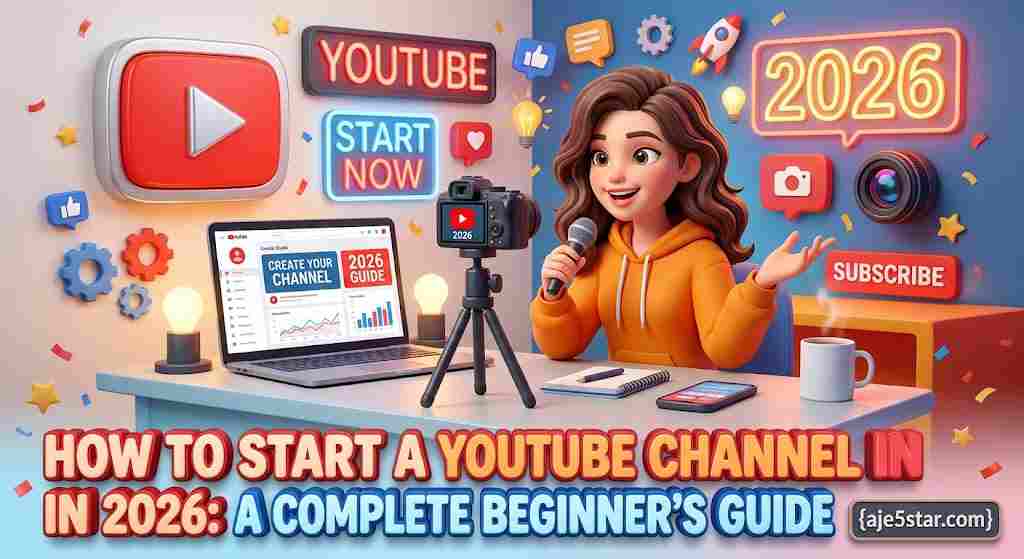
Starting a YouTube channel does not require an expensive camera, a professional studio, or thousands of followers. You can begin with a smartphone, a clear topic, and a simple plan. The important thing is to create videos that help, entertain, teach, or inspire a specific audience.
In this beginner-friendly guide, you will learn how to create your channel, choose a profitable topic, make videos, attract viewers, and understand the different ways YouTube creators can earn money.
The Short Version
- Pick one clear niche and plan at least 20 video ideas.
- Make each video solve one specific problem.
- Good audio, lighting and titles matter more than expensive gear.
- Publish consistently and learn from YouTube Analytics.
- Income is possible, but never guaranteed or fast.
Table of Contents
- Why start a YouTube channel?
- Choose the right channel topic
- Create your YouTube channel
- Set up your channel professionally
- Essential equipment for beginners
- How to create your first video
- How to make attractive thumbnails
- How to grow your YouTube channel
- How to make money on YouTube
- Common beginner mistakes
- Your first 30-day YouTube plan
- Frequently asked questions
1. Why start a YouTube channel in 2026?
YouTube gives people an opportunity to share knowledge, build an audience, develop useful skills, and potentially earn income from content.
You do not need to be famous to start. Many successful channels focus on specific subjects such as cooking, technology tutorials, education, gaming, personal finance, product reviews, or storytelling.
A YouTube channel can help you:
- Build a personal brand.
- Teach people useful skills.
- Promote a business or website.
- Develop video editing and communication skills.
- Build a community around your interests.
- Create opportunities for advertising, sponsorships, and other income streams.
However, YouTube is not a guaranteed way to make money quickly. Building an audience takes time, consistency, and useful content.
2. Choose the right YouTube channel topic
Your channel topic is sometimes called your niche. It tells viewers what kind of content they can expect.
Avoid starting with a topic that is too broad. Instead of making videos about everything, choose a clear subject and develop several related content ideas.
Here are 10 beginner-friendly channel ideas:
| Channel idea | Example videos |
|---|---|
| Technology | Smartphone tips and computer tutorials |
| AI tools | How to use free AI websites |
| Education | Lessons, explanations, and study tips |
| Personal finance | Budgeting and saving basics |
| Gaming | Gameplay and beginner guides |
| Cooking | Affordable meals and recipes |
| Fitness | Beginner home workouts |
| Travel | Travel guides and destination tips |
| Online business | Website and digital business tutorials |
| Entertainment | Original stories and commentary |
How to choose a good niche
Ask yourself three questions:
- Do I enjoy learning or talking about this topic?
- Can I think of at least 30 useful video ideas?
- Are there people actively searching for this information?
A good niche combines your interests with a real audience need.
3. Create your YouTube channel
You can create a channel using a Google account.
Follow these general steps:
- Open YouTube and sign in.
- Open your account settings.
- Choose the option to create a channel.
- Select a channel name.
- Choose a suitable profile picture.
- Complete the channel creation process.
YouTube’s official creator resources provide guidance for starting a channel and uploading your first videos: https://www.youtube.com/creators/get-started/
4. Set up your channel professionally
A professional channel should make it immediately clear what it offers.
Channel name
Choose a short, memorable name that relates to your content. Avoid complicated spellings that viewers may struggle to remember.
Profile picture
Use a clear logo, brand symbol, or professional photograph.
Channel banner
Your banner should communicate your topic and give viewers a reason to subscribe. Keep important text readable on mobile screens.
Channel description
Explain what your channel publishes, who it helps, and how often viewers can expect new content.
Example:
“Welcome to our channel! We share beginner-friendly technology tutorials, free AI tools, online business tips, and practical digital skills to help you learn, create, and grow.”
You can manage your channel’s branding, description, layout, and other basic information in YouTube Studio. See the official guide: https://support.google.com/youtube/answer/3027950
5. Essential equipment for beginners
You do not need to buy expensive equipment before publishing your first video.
Start with what you already have.
Basic equipment:
- Smartphone or computer.
- Earphones or an affordable microphone.
- Natural light from a window.
- A quiet recording space.
- Basic video editing software.
- Stable internet access.
Optional upgrades:
- A tripod.
- A dedicated microphone.
- A ring light.
- A webcam.
- A screen-recording application.
Improve your equipment gradually as your channel develops.
6. How to create your first YouTube video
Your first video should solve one clear problem or answer one useful question.
For example, if your channel focuses on technology, you could create:
“How to Remove an Image Background for Free.”
Use this simple video structure:
Step 1: Write a short script
Start with the problem, explain what the viewer will learn, and organize the instructions into clear steps.
Step 2: Create an interesting introduction
The opening should quickly explain why someone should watch.
For example:
“Do you want to remove an image background without paying for expensive software? In this video, I’ll show you a simple method you can follow.”
Step 3: Record your video
Speak clearly. If you are making a tutorial, record your screen while demonstrating each step.
Step 4: Edit unnecessary parts
Remove long pauses, repeated explanations, and distracting mistakes. Add captions when useful.
Step 5: Check the final video
Watch it before uploading. Check the sound, picture quality, spelling, and whether the instructions are easy to follow.
Pre-Upload Checklist
| Check | Question to Ask |
|---|---|
| Purpose | Does the video solve one clear problem? |
| Audio | Is the voice clear with no distracting noise? |
| Picture | Is the video well lit and easy to see on a phone? |
| Title | Does it say exactly what the viewer will get? |
| Thumbnail | Is it readable on a small screen and honest? |
| Rights | Do I have permission for every image, clip and song? |
| Description | Does it summarize the video with useful links? |
7. How to make attractive YouTube thumbnails
A thumbnail is the image viewers see before opening your video.
A strong thumbnail should:
- Communicate one main idea.
- Use readable text.
- Have a clear focal point.
- Look good on small screens.
- Match the actual video.
Avoid filling the image with too many words or unrelated graphics.
You can use design tools such as Canva or other image editors to create thumbnails. Make sure you have permission to use any photographs, logos, or graphics included in your design.
8. How to grow your YouTube channel
Growth comes from publishing videos that satisfy viewers and helping the right people discover them.
Publish around a clear content plan
Create a list of questions your target audience wants answered. Turn each question into a useful video.
Use searchable video titles
Write titles that explain exactly what the video offers.
Weak title: “Amazing Technology!”
Better title: “How to Free Up Storage Space on an Android Phone.”
Improve your video descriptions
Summarize the video and include relevant information or useful links. Do not stuff the description with unrelated keywords.
Create related videos
If one video teaches beginners how to use an AI tool, make follow-up videos showing practical examples, common mistakes, and alternative tools.
Study YouTube Analytics
Use YouTube Studio to understand which videos attract viewers, how people discover your content, and where viewers stop watching.
Do not judge your entire channel by one video’s performance. Look for patterns over time.
9. How to make money on YouTube
There are several possible income streams, but each has different requirements.
1. YouTube Partner Program: Eligible creators may earn through features such as advertising revenue and other monetization products. Eligibility requirements and available features depend on the country, channel, and current YouTube policies. Check the official requirements before planning around ad income.
2. Affiliate marketing: Recommend relevant products or services and earn a commission when someone makes a qualifying purchase through your link. Disclose affiliate relationships clearly.
3. Sponsorships: Brands may pay creators to feature products or services when the audience and content are a good fit.
4. Digital products: Sell original ebooks, templates, courses, guides, or other useful resources.
5. Your own business or website: Use videos to introduce people to your services, products, or helpful website content.
Never buy fake subscribers, views, or engagement. Artificial activity can damage your channel and violate platform rules.
10. Common mistakes beginners should avoid
- Publishing videos without a clear audience.
- Copying other creators’ work.
- Using copyrighted music or footage without permission.
- Making misleading thumbnails.
- Giving up after a few uploads.
- Buying subscribers or views.
- Ignoring audio quality.
- Promising results that a video cannot deliver.
- Publishing without checking the final edit.
Originality and viewer trust are more valuable than shortcuts.
11. Your first 30-day YouTube plan
| Period | What to do |
|---|---|
| Days 1–3 | Choose your niche and channel name |
| Days 4–7 | Create your channel and branding |
| Days 8–10 | Research 20 video ideas |
| Days 11–15 | Write and record your first videos |
| Days 16–20 | Edit and publish your first videos |
| Days 21–25 | Create related videos and improve thumbnails |
| Days 26–30 | Review analytics and plan the next month |
The goal of the first month is to build a repeatable publishing routine, not to become famous overnight.
12. Frequently asked questions
Can I start a YouTube channel with my phone?
Yes. A smartphone can record videos, capture tutorials, edit clips, and manage your channel. Good lighting and clear sound matter more than owning an expensive camera.
Can I start a YouTube channel without showing my face?
Yes. You can create screen-recorded tutorials, animations, presentations, demonstrations, or narrated educational videos. Make sure the content is original and provides genuine value.
How many videos should I upload each week?
Choose a schedule you can maintain. One useful video each week is a reasonable starting point for many beginners. Quality and consistency are more important than an unrealistic upload target.
How long does it take to grow a YouTube channel?
There is no fixed timeline. Growth depends on the topic, audience demand, video quality, competition, consistency, and how viewers respond.
Do I need money to start?
No. You can begin with a smartphone or computer and free tools. You may decide to invest in better equipment later.
Conclusion: Start your YouTube journey today
Starting a YouTube channel in 2026 is an opportunity to learn, share knowledge, build a community, and develop valuable digital skills.
Choose one topic, create your channel, publish useful videos, and improve with every upload. Do not wait until everything is perfect.
Your first video does not need to be perfect. It needs to be useful.
Visit Aje5star.com for more beginner-friendly guides, free online tools, AI resources, and practical technology tutorials. Learn, create, and grow one step at a time.